
aiMail - Al Email Accounts
Smart Email Assistant For Busy Professionals.
Rating
4.6
Installs
1,000,000+
Price
Free
Screenshots

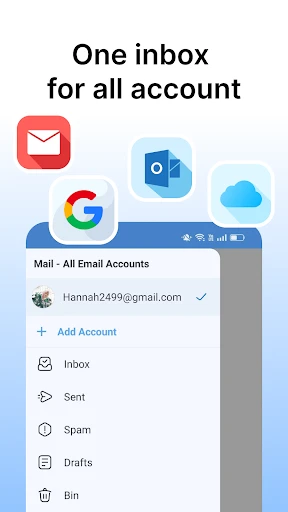



aiMail: Consolidate Every Email Account
Tired of switching between apps to manage emails from different providers? Meet aiMail – All Email Accounts, the comprehensive tool designed to unify your email management. Does it truly deliver on its promise? Let’s explore.
A Centralized Command Center
The primary advantage is undeniable convenience. aiMail merges your Gmail, Yahoo, Outlook, and other accounts into a single, fluid dashboard. Eliminate the need to jump between applications; setup is straightforward and requires no technical expertise.
Design and Usability
The interface is modern, clean, and highly intuitive. Navigating your inbox, sent mail, and drafts is effortless. Its streamlined design transforms email checking from a tedious task into a smooth experience.
A standout capability is intelligent automatic sorting. Similar to popular email services, aiMail filters messages into categories such as Promotions, Social, and Updates, helping you prioritize important communications and reduce clutter.
Prioritizing Security and Privacy
Security is paramount, and aiMail addresses this with strong protective measures. These include end-to-end encryption and support for two-factor authentication, ensuring your communications remain private.
For added control, the app allows remote logout from all active sessions. This feature is invaluable if you ever forget to sign out on a shared device, letting you secure your accounts instantly.
Performance and Notifications
The app performs reliably, with fast loading times even when multiple accounts are active. Customizable alerts ensure you only receive notifications for high-priority emails, minimizing unnecessary distractions.
It is worth noting that performance can occasionally slow during periods of extremely high email volume. This minor issue does not significantly detract from an otherwise responsive experience.
Final Assessment
Is aiMail – All Email Accounts a worthwhile addition? Without a doubt. It excels at streamlining multi-account management through a blend of elegant design, strong security, and overall efficiency. Despite a few negligible flaws, its performance is impressive. For professionals and organization-minded individuals alike, this app is an essential digital utility.
In a world of fragmented digital communication, aiMail stands out as a dependable and effective solution. Try it to revolutionize how you handle email.
Pros
- • Supports multiple email accounts.
- • Integrated AI for smart replies.
- • User-friendly interface.
- • Advanced spam filter.
- • Customizable notifications.
Cons
- • Occasional sync issues.
- • Limited customization options.
- • AI replies can be inaccurate.
- • No offline mode.
- • Consumes battery quickly.
Frequently Asked Questions
Q: What is aiMail and how does it manage multiple email accounts?
A: aiMail is an email app designed to consolidate all your email accounts into one convenient platform. It supports a wide range of email services, allowing you to manage your emails efficiently without the need to switch between different apps. With features like unified inbox, customizable notifications, and advanced search, aiMail streamlines your email management process, providing a seamless experience.
Q: How secure is aiMail in protecting my email data?
A: aiMail prioritizes the security and privacy of its users. It employs robust encryption protocols to ensure that your emails and data are protected from unauthorized access. Additionally, aiMail offers features like two-factor authentication and spam filters, enhancing the overall security of your email accounts. Users can trust aiMail to safeguard their sensitive information.
Q: Does aiMail support offline access to my emails?
A: Yes, aiMail provides offline access to your emails, allowing you to view and manage your messages even when you are not connected to the internet. This feature is particularly useful for users who travel frequently or have limited internet access. You can read, compose, and organize your emails offline, and any changes will be synchronized once you reconnect.
Q: What customization options does aiMail offer to enhance user experience?
A: aiMail offers a variety of customization options to tailor the app to your personal preferences. Users can customize their inbox layout, choose from different themes, and set personalized notifications for different email accounts. These features allow users to create a more personalized and efficient email management experience, making aiMail adaptable to individual needs.
Q: Can aiMail integrate with other productivity apps and tools?
A: aiMail supports integration with numerous productivity apps and tools, enhancing your workflow. It can sync with calendars, task managers, and cloud storage services, allowing for a seamless transition between different productivity applications. This integration capability makes aiMail a versatile choice for users looking to streamline their work processes and increase efficiency.
Information
Tags
Similar Apps

Brave Private Web Browser, VPN
Communication

Zello PTT Walkie Talkie
Communication

My Total Wireless: Account App
Communication

Email for Outlook, Hotmail
Communication

Messenger SMS & MMS
Communication

UC Browser-Safe, Fast, Private
Communication

Messages - Text SMS App
Communication

Yahoo Mail
Communication






