
My Total Wireless: Account App
Manage Your Total Wireless Account Easily.
Rating
4.4
Installs
1,000,000+
Price
Free
Screenshots

My Total Wireless: Evaluating Its Value for Users
In the search for affordable and reliable connectivity, a streamlined management tool is key. The My Total Wireless app promises to deliver both simplicity and savings for your wireless service. This review explores whether the application truly merits a place on your device and in your budget.
Initial Setup and Installation
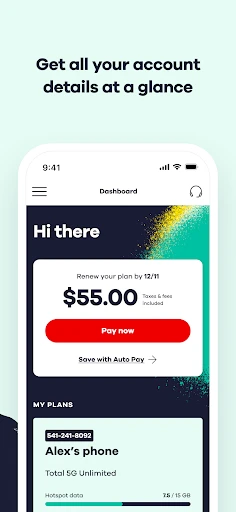
Getting started with My Total Wireless is a straightforward process. The app is readily available for download on both Android and iOS platforms, ensuring broad accessibility. Upon installation, users encounter an intuitive, clean interface that guides them effortlessly through account creation or login. The main dashboard, which appears after signing in, serves as a comprehensive hub for all account functions.
Key Functionalities and Benefits
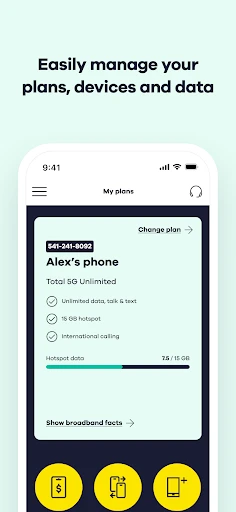
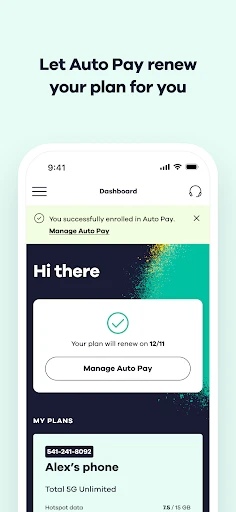
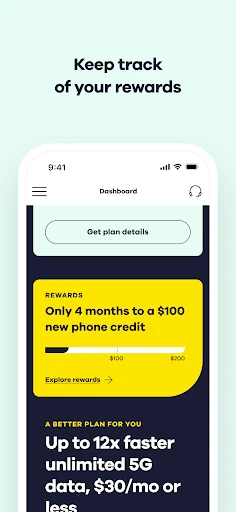
The app's core strength lies in putting complete plan management at your fingertips. It eliminates the need for store visits or lengthy customer service calls. Directly from the dashboard, users can review plan details, monitor current data consumption, and process bill payments—all designed for maximum convenience.
Particularly noteworthy is the ability to seamlessly add data or change service plans with minimal taps. This on-demand flexibility is ideal for adapting to your usage needs. Coupled with real-time usage alerts, the app provides effective tools to avoid unexpected overage charges and bill shocks.
User Interface and Experience
My Total Wireless offers a positive and user-centric experience. The navigation is logical and responsive, featuring a cohesive color palette and clear, recognizable icons. This thoughtful design makes the app approachable for users of all technical skill levels.
An especially valuable component is the integrated support section. Should any confusion or issues arise, a detailed FAQ and troubleshooting guide are immediately accessible. For more specific concerns, the app provides direct pathways to contact customer support without needing to exit.
Performance and Reliability
Regarding performance, My Total Wireless operates competently. The app functions smoothly during typical use, with no significant lag or glitches encountered during testing. It is important to note that individual performance may vary based on location and underlying network strength.
For a service management app, consistent reliability is essential. My Total Wireless demonstrates solid stability, with no experienced downtime or connection drops within the app itself—a critical factor for daily dependence.
Final Assessment
In conclusion, My Total Wireless presents a robust solution for cost-conscious users seeking efficient service management. Its combination of an intuitive interface and practical feature set distinguishes it from many competitors. Regardless of technical proficiency, most will find the app dependable and easy to navigate.
While it may not include every advanced feature found in premium services, it excels at handling all fundamental tasks effectively. For those desiring a straightforward, no-fuss wireless management application, My Total Wireless is certainly worth consideration. Testing the app yourself is the best way to determine if it simplifies your wireless account management.
Pros
- • Affordable plans with no contracts.
- • Nationwide coverage with reliable service.
- • Easy to switch from other carriers.
- • Simple user interface for account management.
- • Supports international calling options.
Cons
- • Data speeds can be inconsistent.
- • Limited customer service availability.
- • No unlimited data plan option.
- • Roaming charges apply outside network.
- • Text and call quality may vary.
Frequently Asked Questions
Q: What is My Total Wireless and what features does it offer?
A: My Total Wireless is a mobile app designed to help users manage their Total Wireless account efficiently. The app provides features such as checking your data usage, adding airtime, monitoring account balance, and accessing customer support. It also allows users to manage multiple lines and devices, making it convenient for families and businesses.
Q: How can I check my data usage using My Total Wireless?
A: To check your data usage with My Total Wireless, simply log into the app using your account credentials. Once logged in, navigate to the 'Usage' section where you can view detailed information about your data consumption. This feature helps you monitor your usage and avoid exceeding your data limits, which could incur additional charges.
Q: Is My Total Wireless app free to download and use?
A: Yes, the My Total Wireless app is free to download on both Android and iOS platforms. While the app itself does not have any usage fees, keep in mind that normal data charges may apply when using the app over a cellular network. It's recommended to use Wi-Fi to avoid consuming your mobile data.
Q: Can I add airtime or change my plan through the My Total Wireless app?
A: Absolutely! The My Total Wireless app allows you to add airtime to your account directly from your mobile device. You can also explore and change your current plan within the app. This feature is particularly useful for users who need to adjust their plans on-the-go without needing to visit a store or call customer service.
Q: What should I do if I encounter issues with the My Total Wireless app?
A: If you experience any issues with the My Total Wireless app, first try restarting the app or your device. If the problem persists, check for any available updates for the app. You can also contact Total Wireless customer support directly through the app for assistance. They offer troubleshooting tips and answers to common questions to ensure your experience is as smooth as possible.
Information
Similar Apps

NetShare - no-root-tethering
Communication

Fongo World Edition
Communication

Watch Duty (Wildfire)
Communication

Robokiller - Spam Call Blocker
Communication

OBD Fusion (Car Diagnostics)
Communication
EasyTether Pro
Communication

Link Messenger
Communication

Hangouts
Communication






