
Yahoo Mail
Yahoo Mail Secure Fast Email For Everyone.
Rating
4.5
Installs
100,000,000+
Price
Free
Screenshots

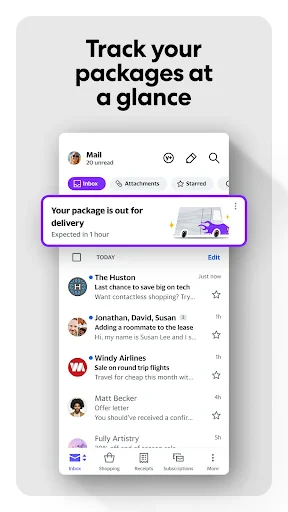

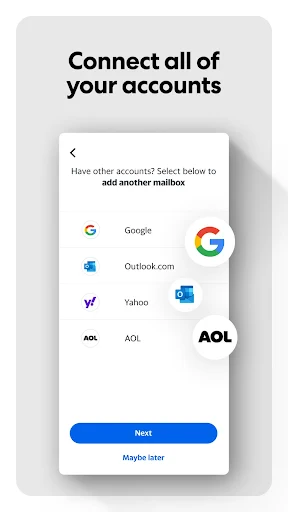
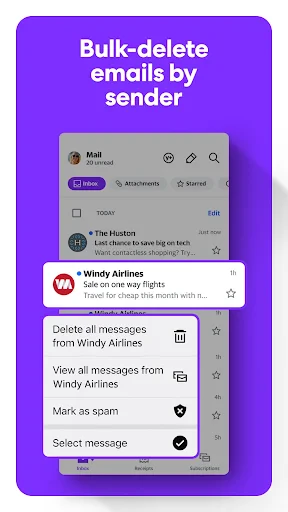
Yahoo Mail: A Comprehensive User Review
Considering a reliable email service? Having used Yahoo Mail extensively, I'm sharing a detailed look at its features and performance. This overview will help you determine if it meets your communication and organizational needs.
Account Setup and Initial Impressions
Creating a Yahoo Mail account is a quick and simple process. Upon first login, you encounter a clean, logically arranged interface. The platform is designed for immediate accessibility, ensuring ease of use for individuals at any technical skill level.
Interface Design and Navigation
The layout is contemporary and intuitive, featuring customizable themes to personalize your workspace. The tabbed design allows for seamless movement between your inbox, contacts, and account settings. Its search function is particularly powerful, enabling you to filter emails by specific terms, dates, or file types—an invaluable tool for managing your correspondence.
Key Features and Capabilities
Yahoo Mail extends beyond basic email with a suite of integrated tools. Its standout offerings include substantial storage and unique security measures.
Generous Storage Allocation: The service provides 1 terabyte of storage, allowing for the long-term retention of messages and attachments without concern for space limitations.
Account Key Security: This login method enhances security by replacing traditional passwords with a verification prompt sent directly to your mobile device, simplifying secure access.
Integrated Content Streams: Your inbox includes feeds for news headlines and weather forecasts, delivering timely information alongside your personal emails.
Mobile Application Performance
The Yahoo Mail mobile app for Android and iOS delivers a consistent and reliable experience. It maintains the core functionality of the desktop version with a responsive design and provides prompt notifications to keep you updated wherever you are.
Security and Data Protection
Yahoo Mail employs robust security protocols to safeguard user information. This includes end-to-end encryption for data protection and the aforementioned Account Key system, complemented by ongoing updates to address emerging security threats.
Final Assessment and Conclusion
Yahoo Mail is a fully-featured and competent email service. Its combination of extensive storage, a user-friendly design, and additional utilities like content integration presents a compelling package. For those seeking a capable and straightforward email solution, Yahoo Mail is certainly worthy of consideration.
Pros
- • User-friendly interface.
- • Supports multiple email accounts.
- • Efficient spam filter.
- • Customizable themes.
- • Integrated calendar.
Cons
- • Occasional sync issues.
- • Ads in free version.
- • Limited offline access.
- • Slow customer support.
- • Frequent updates needed.
Frequently Asked Questions
Q: What features does Yahoo Mail offer to enhance email management?
A: Yahoo Mail provides a range of features to streamline your email experience, including customizable themes, organizational tools like folders and filters, and a powerful search function. Additionally, it supports multiple email accounts, allowing users to manage different email addresses from one central platform, ensuring efficiency and convenience.
Q: Is Yahoo Mail secure for personal and professional use?
A: Yes, Yahoo Mail employs advanced security measures, including SSL encryption and spam filters, to protect users' emails and personal information. It also offers two-step verification for an added layer of security, ensuring that both personal and professional communications remain private and secure from unauthorized access.
Q: Does Yahoo Mail integrate with other Yahoo services and third-party apps?
A: Yahoo Mail seamlessly integrates with various Yahoo services like Yahoo Calendar and Yahoo Contacts, enhancing productivity. It also supports integration with third-party apps, enabling users to sync their emails with other tools and platforms for a more cohesive digital experience, making it versatile for personal and business use.
Q: How does Yahoo Mail's mobile app functionality compare to its desktop version?
A: The Yahoo Mail mobile app offers a user-friendly interface with features similar to its desktop counterpart, such as customizable swipes and notifications. The app is designed for efficiency on-the-go, providing easy access to emails, attachments, and integrated tools, ensuring a seamless experience across devices for users.
Q: Can Yahoo Mail accommodate high volumes of email traffic for business use?
A: Yes, Yahoo Mail is capable of handling high volumes of email traffic, making it suitable for business use. It offers generous storage space and efficient organizational tools, allowing users to manage large numbers of emails with ease. Its robust infrastructure ensures reliable performance, even with heavy usage.
Information
Similar Apps

Email - Email Login
Communication

Messages - SMS, Chat Messaging
Communication

2nd Line - Second Phone Number
Communication

Messages - Text SMS App
Communication

Textra SMS
Communication

MyFrontier
Communication

Sticker.ly - Sticker Maker
Communication

Whoscall - Caller ID & Block
Communication






