
Microsoft Edge: AI browser
Smart AI Browser For Work And Personal Use.
Rating
4.7
Installs
100,000,000+
Price
Free
Screenshots
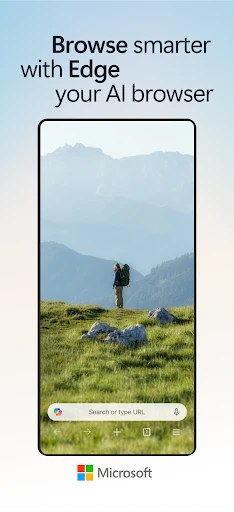
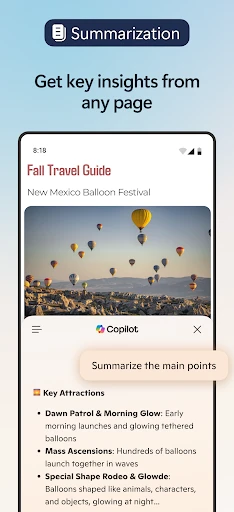
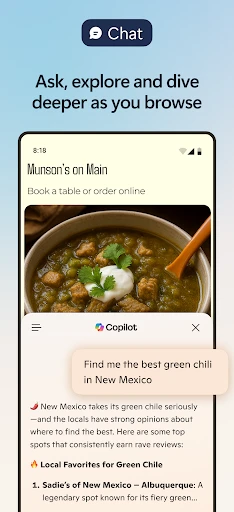
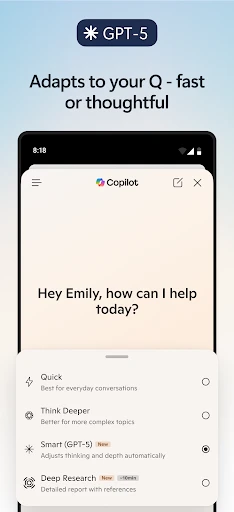
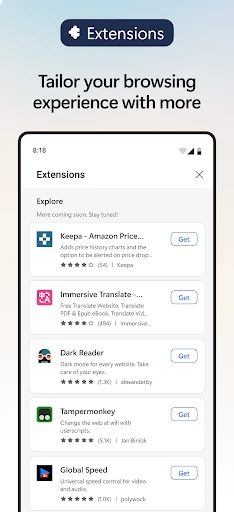
Discover the Next Generation of Browsing with Microsoft Edge
Tech enthusiasts, take note. Microsoft Edge has evolved into an intelligent platform, fundamentally transforming your interaction with the web through integrated Artificial Intelligence. This isn't just an update; it's a reimagining of the browser as a proactive, intuitive partner. Prepare to experience a web that is more efficient, personalized, and powerful than you thought possible.
An Intuitively Adaptive Interface
The design of Edge goes beyond aesthetic appeal to become genuinely responsive. The AI-enhanced interface anticipates your actions, simplifying navigation and task management. Switching tabs or managing multiple workflows feels fluid and natural, as if the browser is working in harmony with your intentions. It transforms your window to the web into a dynamic, context-aware command center.
An AI That Understands Your Interests
Edge’s AI actively learns from your browsing patterns to become a truly personal guide. It curates content and surfaces recommendations tailored to your preferences, effectively bringing the information you care about directly to you. This intelligent personalization turns routine browsing into a streamlined journey of discovery, saving you time and effort.
Advanced Protection for Peace of Mind
Microsoft prioritizes your control and security within this intelligent ecosystem. Robust, AI-supported privacy tools give you command over your data, while sophisticated tracking prevention shields your activity. Coupled with strong defenses against malware and phishing, Edge ensures that a smarter browser is also a fundamentally safer one.
Seamlessly Integrated Productivity
Transform your browser into a powerful digital workstation. Deep integration with Microsoft 365 and smart features like Collections allow you to organize projects, research, and tasks without leaving the browser. This seamless blend of web and work tools creates a cohesive environment that amplifies your focus and output.
A Unified Experience Across All Devices
Your personalized Edge experience is not confined to a single screen. It synchronizes your passwords, favorites, history, and settings seamlessly across your phone, tablet, and computer. This continuity guarantees that your productive flow and curated web follow you everywhere, providing a consistent and reliable interface to the digital world.
Final Impressions on the AI-Powered Edge
Microsoft's AI-powered Edge represents a significant leap forward, merging intelligent assistance with robust performance. It delivers a compelling package for every type of user, from the everyday surfer to the demanding professional. By making the web more intuitive, secure, and productive, Edge isn't just a tool for browsing—it's a platform designed to enhance how you connect with information. The future of browsing is here, and it's time to explore it.
Pros
- • Fast browsing speed
- • Integrated AI features
- • Cross-platform sync
- • Enhanced privacy controls
- • Customizable interface
Cons
- • High RAM usage
- • Occasional sync issues
- • Limited extension support
- • Default browser prompts
- • Complex settings menu
Frequently Asked Questions
Q: What is Microsoft Edge: AI browser, and how does it enhance my browsing experience?
A: Microsoft Edge: AI browser is a web browser developed by Microsoft that integrates artificial intelligence to enhance user experience. It provides faster page loading, improved security features, and personalized content recommendations. The AI-driven features include intelligent search results, voice control, and the ability to sync across devices, making your browsing more efficient and tailored to your needs.
Q: Is Microsoft Edge: AI browser available on both Android and iOS platforms?
A: Yes, Microsoft Edge: AI browser is available for download on both Android and iOS devices. It offers a seamless experience across platforms, ensuring that users can enjoy its features on their smartphones and tablets. The browser's cross-platform availability means you can sync your bookmarks, history, and settings on all your devices.
Q: What are the key privacy and security features of Microsoft Edge: AI browser?
A: Microsoft Edge: AI browser prioritizes user privacy and security with features like tracking prevention, InPrivate browsing, and Password Monitor. Tracking prevention helps block harmful trackers, while InPrivate browsing ensures your history and cookies are not saved. Password Monitor alerts you if any of your passwords have been compromised, offering a secure browsing experience.
Q: Can I customize the appearance and functionality of Microsoft Edge: AI browser?
A: Absolutely! Microsoft Edge: AI browser allows extensive customization to enhance user experience. You can personalize the home page, choose themes, and install extensions from the Edge Add-ons store. Additionally, you can customize the toolbar and adjust privacy settings to suit your preferences, making the browser align with your specific needs.
Q: How does Microsoft Edge: AI browser integrate with other Microsoft services and products?
A: Microsoft Edge: AI browser seamlessly integrates with other Microsoft services and products like Office 365, OneDrive, and Cortana. This integration allows users to easily access documents, manage cloud storage, and use voice commands for tasks. The browser also supports Microsoft Rewards, letting you earn points by simply browsing the web.
Information
Tags
Similar Apps

Orbot: Tor for Android
Communication

Messages : SMS & Private Chat
Communication

Messages: Text Message, SMS
Communication

JusTalk - Video Chat & Calls
Communication

Standup Wireless
Communication

Talk360: International Calling
Communication

Signal Private Messenger
Communication

Good Morning Wishes
Communication






