
Messages: Text Message, SMS
SMS Messaging For Everyone Simple Reliable Essential Communication.
Rating
3.7
Installs
500,000+
Price
Free
Screenshots
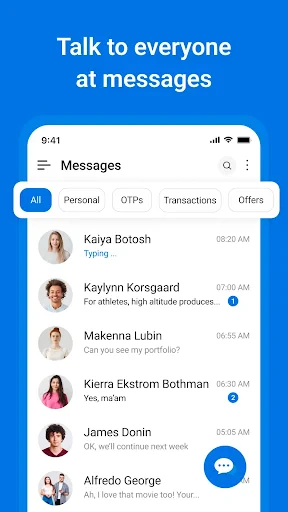
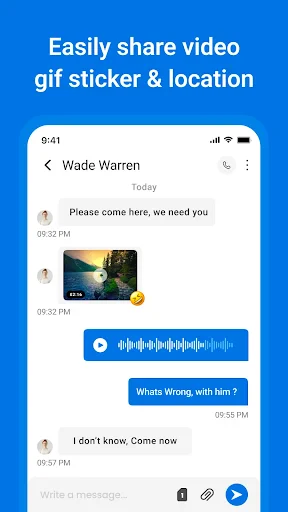
Searching for a messaging app that is straightforward and reliably does what it promises? Meet Messages: Text Message, SMS. Think of it as your dependable digital companion, focused on the essentials without any superfluous complexity. It delivers a user-friendly experience that performs its core function exceptionally well.
An Intuitively Designed Interface
Upon launching Messages: Text Message, SMS, you are greeted by a clean and logically organized layout. The design prioritizes ease of use, making navigation effortless for users of all technical skill levels. Its aesthetic is thoughtfully minimal, employing subtle color accents to enhance visual appeal without creating distraction. This clarity offers a welcome contrast to the often-busy interfaces found in similar applications.
Practical Features for Modern Communication
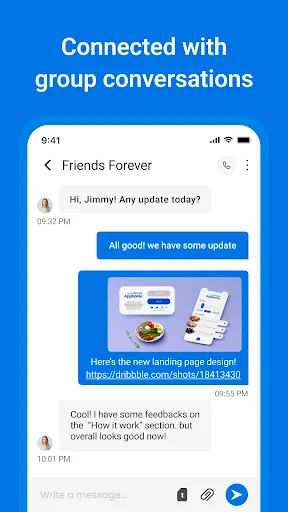
This app provides all the tools you need for effective communication. Fundamentally, it handles SMS and MMS messaging seamlessly. Beyond individual chats, it fully supports group messaging for coordinating events or sharing with multiple contacts. Multimedia sharing is also integrated, allowing you to effortlessly send pictures, video clips, and audio messages. The entire experience is designed for fluidity and speed.
Further enhancing its utility is a highly customizable notification system. Tailor alerts with specific sounds or vibration patterns for different contacts or types of conversations. This level of personalization ensures you stay informed exactly how you prefer, adding significant convenience to everyday use.
Prioritizing Your Privacy and Security
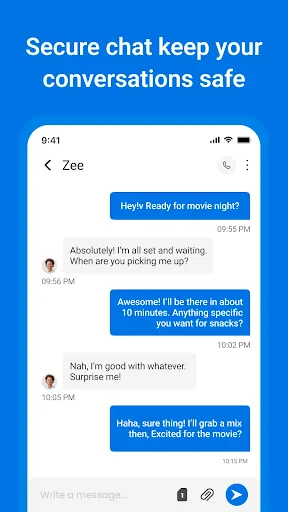
In today's digital landscape, safeguarding your communications is paramount. Messages: Text Message, SMS addresses this with robust end-to-end encryption, ensuring your messages remain strictly between you and your intended recipients. For added protection, the app can be secured with a passcode or biometric lock, functioning as a personal safe for your conversations.
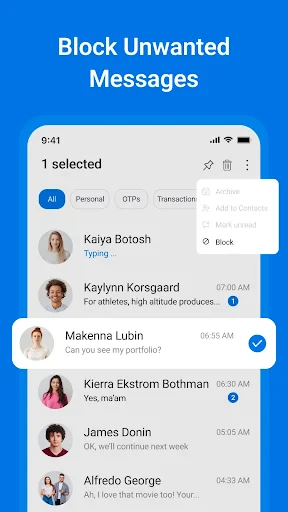
Additionally, a built-in spam filter actively works to block unwanted messages, maintaining a clean and relevant inbox. This feature acts as a vigilant gatekeeper, discreetly shielding you from intrusive clutter and potential threats.
Final Assessment of the Application
In summary, Messages: Text Message, SMS stands out as a robust and trustworthy messaging solution. It successfully marries a simple, intuitive design with a powerful set of features, all while maintaining a strong commitment to user privacy and security. It is an excellent option for anyone seeking an efficient and secure way to manage text conversations and share media with friends, family, and colleagues.
For those in need of a capable messaging app that emphasizes clarity, functionality, and protection, Messages: Text Message, SMS is certainly worth considering. In an era of increasingly complicated software, it demonstrates that the most effective tools are often elegantly simple.
Pros
- • User-friendly interface
- • Supports SMS and MMS
- • Group messaging available
- • Customizable themes
- • Fast message delivery
Cons
- • Limited multimedia sharing
- • Ads in free version
- • No end-to-end encryption
- • Limited customization
- • Occasional bugs
Frequently Asked Questions
Q: What features does the Messages app offer besides sending SMS?
A: The Messages app provides various features beyond the basic SMS functionality. Users can send multimedia messages, including pictures, videos, and audio clips. It also supports group messaging, allowing conversations with multiple contacts. Additionally, the app offers read receipts, typing indicators, and the ability to block unwanted numbers. Integration with other apps and services for sharing links and locations is also available.
Q: Is the Messages app secure for personal and confidential conversations?
A: Yes, the Messages app is designed with security in mind, featuring end-to-end encryption for messages sent over certain platforms, such as iMessage for iOS users. This ensures that only the sender and recipient can read the content. However, standard SMS messages are not encrypted, so for sensitive communications, using encrypted services is recommended.
Q: Can I use the Messages app on multiple devices simultaneously?
A: For iOS users, the Messages app can be used across multiple Apple devices through iCloud syncing. This means you can access your messages on your iPhone, iPad, and Mac seamlessly. However, for Android users, the traditional SMS feature is typically limited to one device unless using third-party apps or services that facilitate message syncing.
Q: How can I back up my messages in the Messages app?
A: Backing up messages in the Messages app varies depending on the operating system. iOS users can back up their messages via iCloud or iTunes. For Android users, Google Drive can be used to back up SMS messages. It's essential to regularly back up your data to prevent loss of important conversations.
Q: Are there any costs associated with using the Messages app?
A: Using the Messages app itself is generally free; however, sending SMS or MMS can incur charges depending on your mobile carrier plan. Most carriers offer plans with unlimited texting, but it's advisable to confirm with your provider. Additionally, messages sent over Wi-Fi or data (like iMessages) do not typically incur extra charges beyond your internet plan.
Information
Similar Apps

Robokiller - Spam Call Blocker
Communication

Rebtel: Recharges And Calls
Communication

Skype
Communication

Telegram
Communication

NDI HX Camera: Easy Streaming
Communication

Second Phone Number - 2Number
Communication

Threema. The Secure Messenger
Communication

VirtuNum - Virtual Number
Communication






