
Orbot: Tor for Android
Orbot encrypts internet traffic for private mobile browsing.
Rating
4.1
Installs
10,000,000+
Price
Free
Screenshots
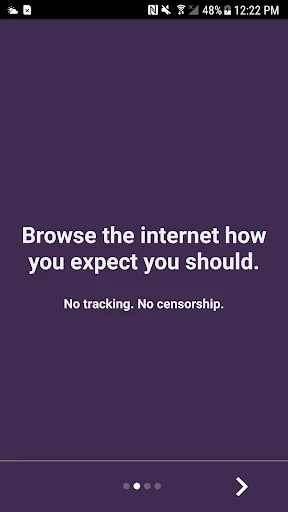
Discover Enhanced Privacy with Orbot: Tor for Android
Have you ever wanted to explore the internet with significantly improved privacy and security? Allow me to present Orbot: Tor for Android. After extensive use, I can confirm it functions as a powerful digital cloak of invisibility. Intrigued? Let's explore further.
Understanding Orbot's Core Function
So, what exactly is Orbot: Tor for Android? It is an open-source application for Android that routes your internet traffic through the encrypted Tor network. Your data is relayed through multiple, randomly selected servers globally, which effectively obscures your online path and makes tracking your activities extremely difficult. It's a powerful tool for anonymity.
Simple and Quick Setup Process
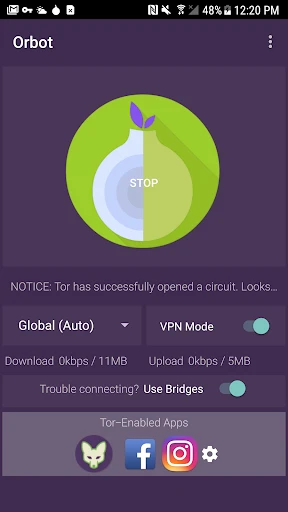
Getting started with Orbot is remarkably simple. After installing the app from the Google Play Store, you launch it and press the "Start" button. A brief connection period follows, and then you are ready to browse the web anonymously. The design is intuitive and user-friendly, ensuring ease of use for individuals of all technical skill levels.
Flexible App Integration and VPN Mode
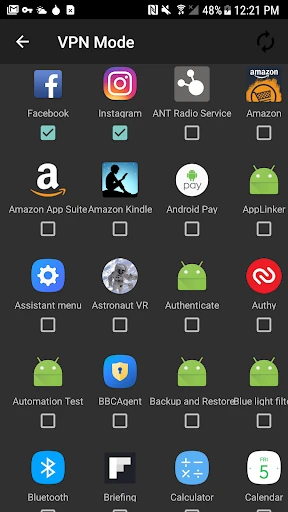
A key strength of Orbot is its compatibility with other applications on your device. You can configure it to channel all of your device's traffic through Tor, or you can selectively choose which apps utilize the network. This granular control allows you to tailor your privacy settings. Additionally, the app includes a built-in VPN mode to support applications that require such a connection.
Bypassing Censorship with Bridges
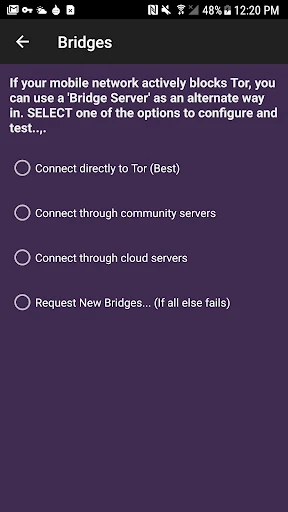
The app also provides a valuable "Bridge" feature. For users in regions with stringent internet censorship, this option creates a pathway to circumvent these blocks, offering access to the open internet.
Evaluating Speed and Performance
Regarding performance, using the Tor network can introduce some latency, as your data travels a longer, encrypted route. In my experience, this speed reduction is generally acceptable. While streaming high-definition video may require some buffering, everyday browsing tasks remain largely unaffected.
Reliable and Stable Usability
In terms of daily operation, Orbot delivers reliable performance. The application runs seamlessly, maintaining stable connections throughout extended browsing periods. It acts as a dependable guardian for your online privacy.
A Valuable Tool for Modern Privacy
In an era where digital privacy is increasingly scarce, Orbot: Tor for Android provides a crucial layer of security. Whether you are a dedicated privacy advocate or simply someone seeking more anonymous browsing, this app is a compelling option. While no solution is flawless, Orbot excels at minimizing your digital footprint.
Your Pocket-Sized Privacy Solution
If you aim to bolster the privacy of your online engagements, I recommend trying Orbot. It effectively places the power of the Tor network in your pocket, enabling you to navigate the web while leaving minimal traces behind.
Pros
- • Enhances online privacy and security
- • Free and open-source application
- • User-friendly interface
- • No registration required
- • Works well with other apps
Cons
- • Can slow down internet speed
- • Not all apps support Tor routing
- • Occasional connection drops
- • Limited customer support
- • May consume more battery life
Frequently Asked Questions
Q: What is Orbot and how does it work on Android devices?
A: Orbot is a free proxy app that empowers other apps to use the internet more securely. It uses Tor, an open network that helps protect your privacy by bouncing communications around a distributed network of relays run by volunteers all around the world. By using Orbot, you can encrypt your internet traffic and conceal your identity, making it difficult for third parties to track your online activities.
Q: Is Orbot safe to use on Android devices?
A: Yes, Orbot is considered safe to use as it leverages Tor's vast network to anonymize your internet activity. It provides enhanced security measures by encrypting your internet traffic, which helps protect your data from being intercepted. However, as with any app, it's crucial to download it from reputable sources like the Google Play Store to avoid counterfeit versions that may compromise your security.
Q: How do I set up and use Orbot on my Android device?
A: Setting up Orbot on your Android device is straightforward. After downloading and installing the app from the Google Play Store, open it and tap the power button to start. Orbot will then connect to the Tor network. You can configure which apps use Orbot's proxy by going to the app's settings. For web browsing, you can use the Tor Browser along with Orbot for maximum privacy.
Q: Does using Orbot affect my internet speed on Android?
A: Using Orbot can lead to slower internet speeds compared to a direct connection because your data is routed through multiple Tor nodes, which adds latency. This trade-off is the result of the enhanced privacy and security that Tor provides. Users should be prepared for potentially slower browsing as the app focuses on masking your identity and ensuring your data travels securely across the network.
Q: Can I use Orbot for all my apps on Android?
A: Orbot can be configured to work with many apps on Android, but not all apps may support proxy settings or work smoothly with it. Apps that require high-speed connections or those with strict security protocols might experience issues. It's recommended to check each app's compatibility with Orbot and configure them individually in Orbot's settings to ensure optimal performance and privacy.
Information
Similar Apps

Samsung Internet Browser
Communication

TeamSpeak 3 - Voice Chat
Communication

Brave Private Web Browser, VPN
Communication

Avast SecureLine VPN & Privacy
Communication

iSharing: GPS Location Tracker
Communication

Fongo World Edition
Communication

Messenger
Communication

Zello PTT Walkie Talkie
Communication





