
Sling: Employee Scheduling App
Sling Employee Scheduling For Managers And Teams.
Rating
4.6
Installs
1,000,000+
Price
Free
Screenshots
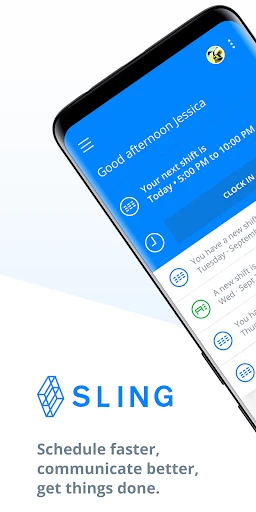
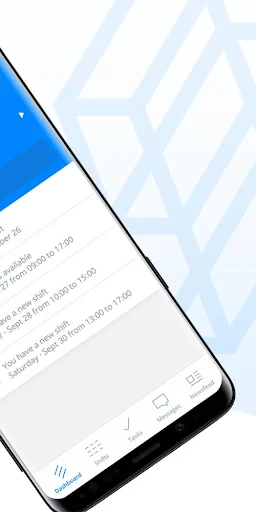
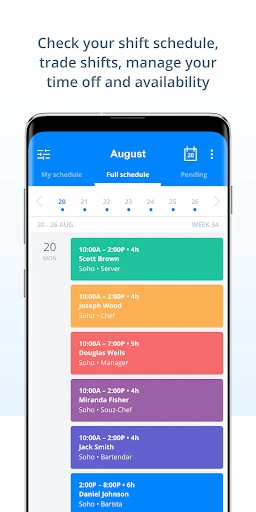
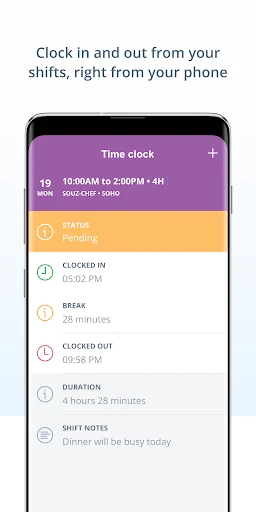
Struggling to balance employee schedules and searching for a simpler management solution? I discovered the Sling app, and it truly revolutionizes the process of organizing staff. For managers of both compact teams and extensive workforces, this application promises to simplify scheduling, and my experience confirms it. Let’s explore the details of this clever platform.
First Impressions and Setup
Upon launching Sling, its user-centric design is immediately apparent. The layout is modern and straightforward, ensuring smooth navigation across all functionalities. A tidy dashboard welcomes you, presenting key scheduling information at a glance. Assigning shifts or managing leave requests is effortlessly accomplished with just a few clicks.
Simplified Schedule Creation
The most notable aspect is the simplicity of building and adjusting schedules. Shifts can be arranged with intuitive drag-and-drop actions, and last-minute modifications are handled seamlessly. The app sends immediate notifications to staff about their schedules, eliminating frantic phone calls and messages. This not only saves valuable time but also significantly reduces managerial stress.
Unified Communication Tools
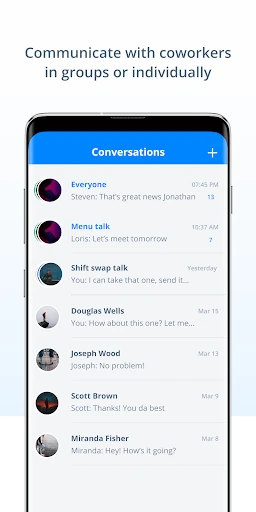
Sling’s capabilities extend beyond scheduling to foster clear and open dialogue. Its integrated messaging system enables smooth communication between management and team members. You can distribute announcements to the entire group, send private notes, or establish dedicated chats for particular departments. This focus on communication enhances coordination and helps prevent misunderstandings.
Data-Driven Management and Tracking
For those who rely on metrics, the app’s time tracking and analytics features are particularly valuable. Sling generates comprehensive reports on labor expenses and hours logged, supporting better budget management and informed decision-making. This is especially beneficial for supervisors who must report precise figures to leadership.
Additionally, the integrated time clock lets employees punch in and out directly from their devices. This provides a reliable method to track attendance and verify that all team members are present as required.
To summarize, Sling is a robust and all-inclusive solution for handling team schedules. It merges an accessible interface with advanced functionality, becoming a vital asset for any leader. It’s akin to having a dedicated scheduling aide in your pocket, equipped to turn daily organizational challenges into successes. Consider trying it to experience how it can convert scheduling difficulties into streamlined efficiency.
Pros
- • Intuitive user interface design.
- • Seamless integration with payroll systems.
- • Supports multi-location businesses.
- • Real-time shift updates and alerts.
- • Customizable scheduling templates.
Cons
- • Limited offline functionality.
- • Occasional sync issues.
- • Lacks advanced reporting features.
- • No direct customer support chat.
- • Premium features can be expensive.
Frequently Asked Questions
Q: What is Sling: Employee Scheduling App?
A: Sling: Employee Scheduling App is a comprehensive tool designed to simplify the process of creating and managing employee schedules. It offers features like shift swapping, time tracking, and communication tools, making it easier for managers to coordinate with their teams. The app is available on both Android and iOS platforms, providing flexibility and convenience for users.
Q: How does Sling help in improving team communication?
A: Sling enhances team communication by offering a built-in messaging tool that allows managers and employees to communicate directly within the app. Users can send messages, create group chats, and post announcements. This helps in reducing miscommunications and ensures that everyone is on the same page, thus improving overall team collaboration and efficiency.
Q: Can Sling integrate with other tools and services?
A: Yes, Sling can integrate with various third-party tools and services to streamline your workflow. It supports integration with payroll systems and other HR software, allowing seamless data transfer and reducing manual entry errors. This integration capability makes it a versatile tool for businesses looking to enhance their operational efficiency.
Q: Is Sling suitable for businesses of all sizes?
A: Sling is designed to cater to businesses of all sizes, from small startups to large enterprises. Its scalable features ensure that as your business grows, Sling can adapt to your changing needs. Whether you have a small team or a large workforce, Sling offers tools that can help you manage employee schedules effectively.
Q: What are the pricing options for Sling?
A: Sling offers a variety of pricing plans to suit different business needs. There is a free version available with basic features, while premium plans offer advanced functionalities like reporting and analytics. Pricing is competitive and designed to provide value for businesses looking to enhance their scheduling and communication processes.
Information
Similar Apps

Visible mobile
Communication

CallApp: Caller ID & Block
Communication

Hiya: Spam Blocker & Caller ID
Communication

Messenger: Text Messages
Communication
Sling: Employee Scheduling App
Communication

Chat Cloner Secretly View Chat
Communication

Messages - SMS Texting App
Communication
My Straight Talk: Mobile App
Communication






