
Vivaldi Browser - Fast & Safe
Vivaldi Browser Fast Secure Custom For Power Users.
Rating
4.6
Installs
5,000,000+
Price
Free
Screenshots

My Exploration of the Vivaldi Browser
Join me as I recount my exploration of the Vivaldi Browser, a web browser renowned for its velocity and robust safety features. For anyone seeking to move beyond conventional browsing, this promises a compelling alternative.
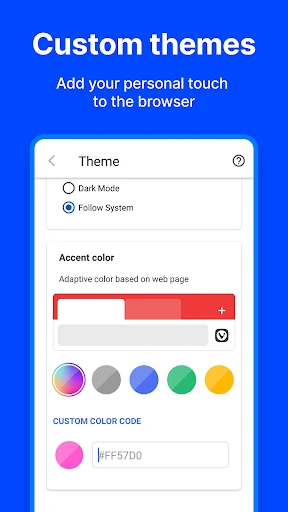
The installation of Vivaldi Browser proved effortless from the very start. Its setup was intuitive, enabling me to begin navigating the web in mere moments. I was instantly struck by the interface's polished design and exceptional adaptability. Departing from browsers with rigid layouts, Vivaldi empowers you to modify nearly every visual and functional detail, from themes and tab positioning to crafting custom keyboard shortcuts. As someone who cherishes personalization, I found this incredibly satisfying.
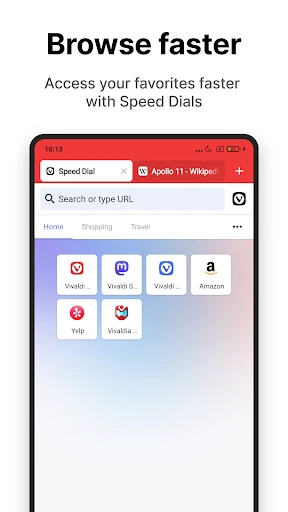
Performance speed is where Vivaldi genuinely impressed. Page loading was consistently swift, whether I was engaging with social platforms, viewing video content, or conducting intensive online research. Built on the Chromium foundation, it seamlessly supports the entire library of Chrome extensions, vastly expanding its utility and eliminating the need to switch between different browsers for specific tasks.
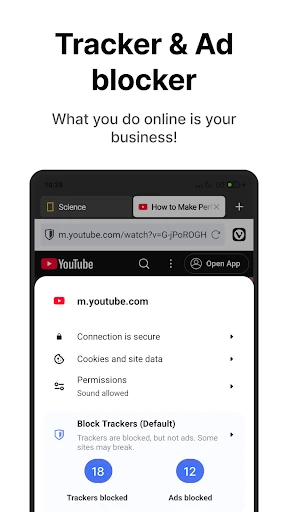
In our current era, digital privacy and security are critical. Vivaldi excels here, integrating an effective ad blocker and tracker protection. I browsed with greater confidence, knowing my data was shielded from unwanted third-party collection. The inclusion of end-to-end encryption for syncing information across my devices provided further peace of mind, a major advantage for privacy-conscious individuals.
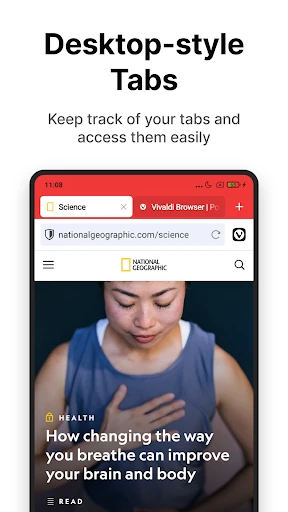
Vivaldi distinguishes itself through several innovative tools. Its tab management system is exceptional, allowing you to group, stack, or tile tabs for superior organization—a boon for multitaskers managing numerous windows. Another standout feature is the integrated notes tool, a minimalist yet powerful solution for capturing thoughts or saving web content directly within the browser.
To summarize, the Vivaldi Browser delivers a revitalizing approach to web navigation. It combines rapid performance, strong security, and a suite of thoughtful features designed for everyday users and power users alike. If the standard browsing experience has grown stale, I recommend trying Vivaldi; it may well become your preferred gateway to the internet.
Pros
- • Highly customizable interface.
- • Built-in ad blocker.
- • Integrated note-taking feature.
- • Fast browsing speeds.
- • Strong privacy settings.
Cons
- • Complex settings for beginners.
- • Limited extension support.
- • Occasional sync issues.
- • Higher RAM usage.
- • Some website compatibility issues.
Frequently Asked Questions
Q: What makes Vivaldi Browser stand out from other browsers on Android and iOS?
A: Vivaldi Browser is renowned for its unique customization options, offering users a tailored browsing experience. Unlike other browsers, Vivaldi allows you to adjust everything from the interface layout to keyboard shortcuts. Additionally, it emphasizes privacy and security, providing built-in tools like an ad blocker and tracker protection, setting it apart from competitors.
Q: Is Vivaldi Browser safe to use on my mobile device?
A: Yes, Vivaldi Browser is designed with user safety in mind. It includes features like end-to-end encryption for sync functions, a built-in ad blocker, and protection against trackers. These features work together to ensure your browsing data stays private and your device remains secure, making it a safe choice for mobile users.
Q: Can I sync my data across devices using Vivaldi Browser?
A: Absolutely! Vivaldi Browser offers a seamless sync feature that allows you to synchronize bookmarks, passwords, history, and even open tabs across multiple devices. This means you can start browsing on your computer and continue seamlessly on your mobile device, ensuring a consistent user experience wherever you go.
Q: Does Vivaldi Browser offer any unique features for power users?
A: Yes, Vivaldi Browser caters to power users with features like tab stacking, which helps in organizing multiple tabs, and customizable keyboard shortcuts for efficient navigation. It also offers a notes feature, allowing users to jot down ideas or information directly within the browser, making it a versatile tool for advanced users.
Q: How does Vivaldi Browser address privacy concerns?
A: Vivaldi Browser is committed to user privacy. It doesn’t track your behavior and comes with a built-in ad blocker and tracker protection to prevent unwanted tracking. Moreover, its sync feature is encrypted, ensuring that your data remains private and only accessible to you, providing peace of mind to privacy-conscious users.
Information
Similar Apps

Whoscall - Caller ID & Block
Communication

Phone by Grice
Communication

Calls Blacklist PRO - Blocker
Communication

Weargram
Communication

Samsung Accessory Service
Communication

Gmail
Communication

My Straight Talk: Mobile App
Communication

Sling: Employee Scheduling App
Communication






