
Messages
Secure Private Messaging For Business Teams.
Rating
3.7
Installs
10,000,000+
Price
Free
Screenshots
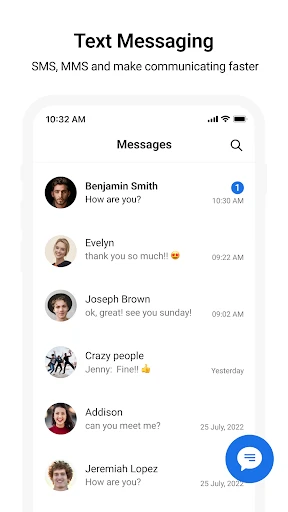
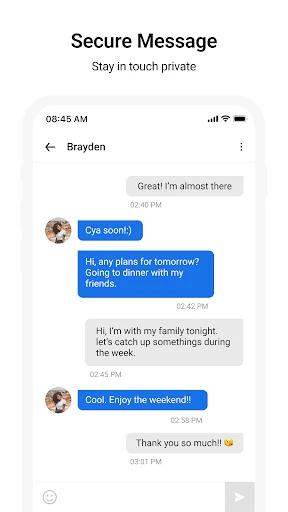
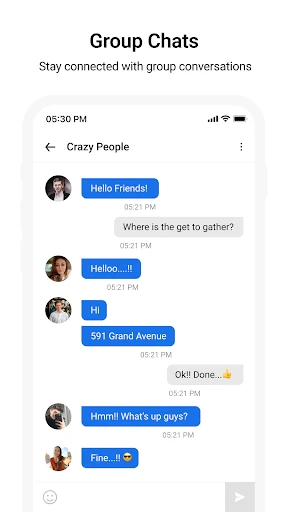
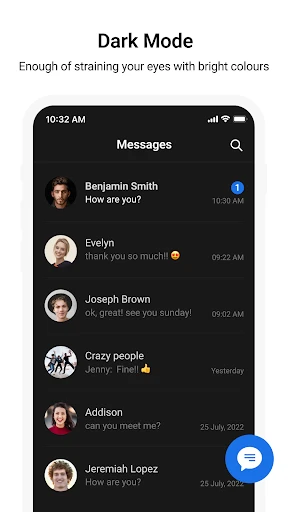
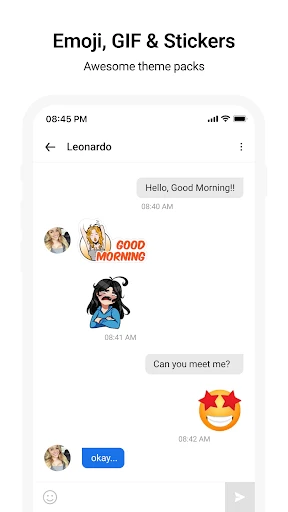
An In-Depth Look at the Essential Messaging App
Hello, and welcome to our detailed exploration of the ubiquitous "Messages" application. As a pre-installed staple on nearly every mobile device, this app serves as a primary communication hub for countless users. Join us as we examine the core attributes that cement its status as an indispensable digital tool.
Intuitive and Multifaceted Conversations
The principal function of Messages is to facilitate effortless connection. From coordinating daily logistics to sharing personal updates, the app provides a reliable channel. Its intuitive design ensures accessibility for users of all technical backgrounds. Compose your text, press send, and your message is delivered instantly. The platform extends beyond simple text, supporting a rich array of emojis, images, and audio clips, effectively transforming each chat into a dynamic multimedia exchange.
Universal Functionality Across Devices
A significant advantage of Messages is its broad interoperability. The app maintains consistent performance whether correspondents use Android or iOS ecosystems. This cross-platform reliability is invaluable in diverse social circles, ensuring seamless inclusion in group chats and preventing communication gaps. It delivers a unified and fluid messaging experience for all participants.
A Commitment to Protected Communication
In an era of digital vulnerability, Messages places a strong emphasis on safeguarding your discussions. Through robust end-to-end encryption, it guarantees that conversations remain strictly confidential between the intended parties. This focus on privacy allows you to share information with greater assurance. Ongoing software enhancements and security patches further fortify the app against emerging risks, actively protecting your data.
Personalization and Expressive Tools
Beyond mere utility, Messages offers numerous ways to customize your interaction. Users can tailor visual elements like chat bubble themes and select distinct alerts for notifications. The app also boasts a vast library of stickers and animated GIFs, providing playful and precise ways to enhance emotional expression. These features collectively inject personality and vibrancy into every dialogue.
Potential Areas for Future Development
While exceptionally competent in core messaging, the app is not without room for growth. Some users may desire more advanced functionalities, such as message scheduling or the ability to retract sent texts. Nevertheless, its design philosophy prioritizes excellence in fundamental communication tasks. Given its history of iterative updates, the potential for incorporating such features remains on the horizon.
In conclusion, does Messages justify its widespread adoption? Absolutely. It stands as a trustworthy, user-friendly, and fully-featured application for maintaining personal connections. Whether you are a frequent communicator or an occasional texter, it delivers a polished and consistent experience that is challenging to rival. We encourage you to open the app and appreciate its capabilities firsthand. Here's to your next conversation.
Pros
- • User-friendly interface.
- • Seamless syncing across devices.
- • End-to-end encryption for privacy.
- • Supports group chats.
- • Customizable notifications.
Cons
- • Limited media sharing options.
- • No video call support.
- • Occasional syncing delays.
- • Requires internet access.
- • Lacks advanced search features.
Frequently Asked Questions
Q: What is Messages, and how does it work?
A: Messages is a versatile messaging app available on both Android and iOS platforms. It allows users to send text messages, multimedia messages (MMS), and even supports group chats. With a user-friendly interface, Messages seamlessly integrates with your phone's existing contacts and offers features such as read receipts, typing indicators, and message search. It is designed to enhance your communication experience by providing a reliable and efficient messaging service.
Q: Is Messages free to use, or does it have any hidden charges?
A: Messages is generally free to use for sending SMS, MMS, and other text-based communications. However, standard data charges from your mobile carrier may apply, especially when sending multimedia messages or if you're using the app over a mobile data connection. It's advisable to check with your carrier to understand any potential costs associated with using the app, particularly if you frequently send images or videos.
Q: What are some unique features of the Messages app?
A: Messages comes with a range of features that set it apart from traditional texting apps. These include smart replies, which suggest quick responses based on the context of your conversation, and the ability to send animated emojis and stickers to make your chats more engaging. The app also supports end-to-end encryption for enhanced security, ensuring your messages remain private. Additionally, users can pin important conversations for easy access and customize notifications for different contacts.
Q: Can I use Messages across multiple devices?
A: Currently, Messages is primarily designed for use on a single device, such as your smartphone. While there are third-party solutions that might allow syncing across devices, these are not officially supported by the app itself. However, users can back up their messages to cloud services like Google Drive or iCloud, depending on their device, to ensure message history is not lost if switching phones.
Q: How secure is the Messages app in terms of privacy and data protection?
A: Messages prioritizes user privacy and data protection by implementing end-to-end encryption for messages, ensuring that only the sender and recipient can read the content. This means that not even the app developers can access the messages. Additionally, the app provides options to block unwanted numbers and report spam, enhancing user control over their communication environment. Always ensure your app is updated to the latest version to benefit from the most recent security enhancements.
Information
Similar Apps

Caller ID - Block Spam Call
Communication

Microsoft Edge: AI browser
Communication

2nd Line - Second Phone Number
Communication

Portable WiFi - Mobile Hotspot
Communication

Smart Watch app - BT Notifier
Communication

Messenger - SMS Messages
Communication

Chat Cloner Secretly View Chat
Communication

Online chat, calls - Gem Space
Communication






