
Chrome Dev
Chrome Developer Tools For Web Developers.
Rating
4.4
Installs
10,000,000+
Price
Free
Screenshots
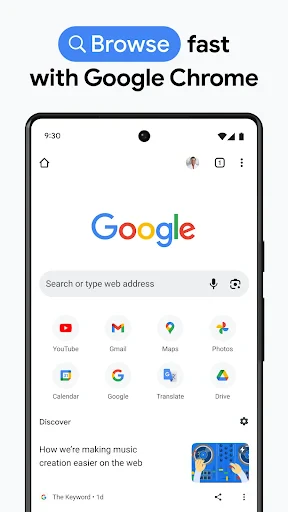


Chrome Dev: Your Portal to the Next Generation of Web Browsing
For the tech-curious, Chrome Dev represents the cutting-edge counterpart to the standard Chrome browser. Tailored for developers and early adopters, it offers a firsthand look at the web's evolving landscape. Here’s an exploration of what sets this application apart and the value it brings.
First Impressions and Interface
Upon launching Chrome Dev, its refined and responsive interface is immediately apparent. It retains the core Chrome experience while introducing a perceptible enhancement in speed and fluidity. The new tab page responds with a snappiness that signals this is more than just an incremental update.
Core Features and Developer Tools
The true appeal of Chrome Dev lies in its access to experimental features and pre-release web platform APIs. This allows developers to test site compatibility and functionality with forthcoming Chrome updates, ensuring readiness for new web standards.
The enhanced suite for debugging and JavaScript profiling is particularly powerful. For web development, these advanced tools provide critical insights. Full support for the latest in HTML5 and CSS3 also creates an ideal sandbox for experimenting with emerging web technologies.
Who Should Consider Using It
While designed with developers in mind, Chrome Dev is also suitable for enthusiastic users who enjoy tracking web innovations. It serves as a preview channel for future browsing features, granting early access to enhancements still in development.
A note of caution: as a development build, stability can occasionally vary. Users may encounter minor bugs or inconsistencies not present in the stable release. The trade-off for early access is accepting the possibility of these rare, usually non-critical, issues.
Final Summary
In conclusion, Chrome Dev is a dynamic and forward-looking browser iteration. It bridges the gap between experimental development and mainstream release, providing a valuable window into the future of the web. For both developers preparing their projects and tech enthusiasts eager to see what’s next, it represents a compelling and informative tool.
If exploring upcoming web capabilities or future-proofing your work interests you, downloading Chrome Dev is a recommended step. Dive in and experience the next wave of browsing innovation as it takes shape.
Pros
- • Fast browsing experience.
- • Regular updates with new features.
- • Supports a wide range of extensions.
- • Intuitive user interface.
- • Cross-device synchronization.
Cons
- • High RAM usage.
- • Limited customization options.
- • Occasional crashes on some devices.
- • Consumes battery quickly.
- • Some features are experimental.
Frequently Asked Questions
Q: What is Chrome Dev and how does it differ from regular Chrome?
A: Chrome Dev is a version of the Google Chrome browser designed for developers and tech enthusiasts who want to test out the newest features before they become part of the standard Chrome release. Unlike the stable version, Chrome Dev receives updates more frequently, which means users get to experiment with new tools and functionalities early. However, these features might be unstable or have bugs, making it less suitable for everyday browsing.
Q: Is Chrome Dev safe to use for daily browsing?
A: While Chrome Dev offers cutting-edge features, it is primarily aimed at developers and those interested in testing upcoming browser functionalities. The frequent updates and experimental features can lead to instability or security risks. Therefore, it is recommended for users who are comfortable with potential crashes or bugs. For everyday browsing, using the stable version of Chrome is advised for better security and reliability.
Q: How can I report issues or bugs in Chrome Dev?
A: Users can report issues or bugs directly through the Chrome Dev browser. There is a built-in feedback tool accessible via the menu, allowing users to submit reports directly to Google. Providing detailed information about the issue, such as steps to reproduce it and any error messages, can help the development team address these problems more effectively.
Q: Does Chrome Dev support all extensions available in the stable version of Chrome?
A: Yes, Chrome Dev supports all the extensions available in the regular Chrome Web Store. However, because Chrome Dev is a testing ground for new features, some extensions might not function correctly due to compatibility issues with experimental features. Users may need to update extensions more frequently or wait for developers to adjust them to work with new updates in Chrome Dev.
Q: How often does Chrome Dev receive updates compared to regular Chrome?
A: Chrome Dev is updated more frequently than the stable version of Chrome. It usually receives updates every week, allowing users to access the newest features and improvements ahead of others. While this allows for a first look at upcoming tools, it also means users are dealing with a more volatile version of the browser that may include bugs or unfinished features. This frequency is ideal for developers who want to keep abreast of the latest changes in the browser's development.
Information
Similar Apps

Eyecon Caller ID & Spam Block
Communication

2nd Line+ Phone Number & eSIM
Communication

Messages - SMS, Chat Messaging
Communication

Holafly eSIM Prepaid Card
Communication

Weargram
Communication

Sound Amplifier
Communication

Dual App - Web Scanner App
Communication

Spam Call Blocker for Android
Communication






