
Discord - Talk, Play, Hang Out
Chat Play Connect Gamers Friends Communities.
Rating
4.2
Installs
500,000,000+
Price
Free
Screenshots
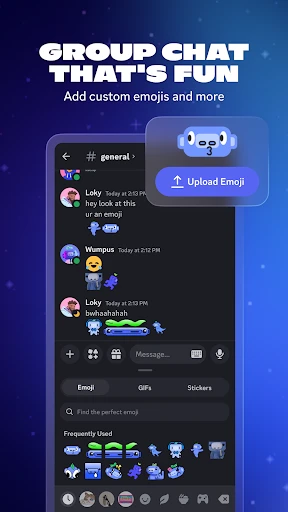
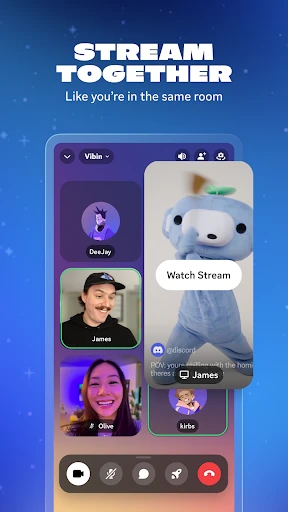
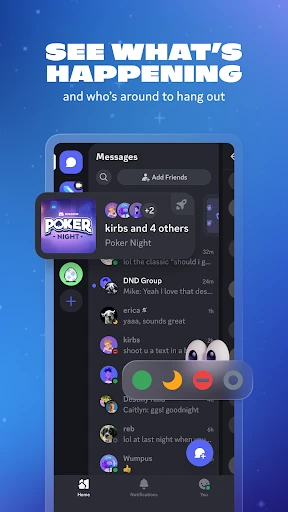

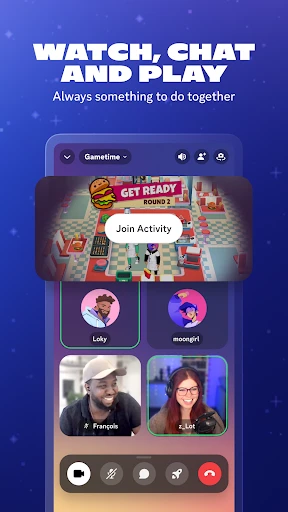
Looking for a virtual space to connect with friends, family, or like-minded people? Discord is the essential platform for gamers, communities, and hobbyists worldwide, available on Android and iOS. Discover what sets this app apart.
Create Your Digital Hangout
At its heart, Discord revolves around servers—your own customizable online clubs. Dedicated to gaming, music, sports, or simply socializing, each server houses organized channels for text, voice, and video conversations, keeping interactions structured and clutter-free.
Intuitive and Customizable Design
Discord’s user-friendly interface ensures effortless navigation for everyone. Switch seamlessly between servers and channels with simple taps or swipes. Personalize your experience with adjustable themes, notification settings, and overall app appearance to match your preference.
High-Quality Voice and Video Chat
Experience crystal-clear voice communication for casual calls or coordinated gaming. Jump into face-to-face video chats and utilize screen sharing to watch content together or provide real-time technical assistance.
Discover Communities and Events
Move beyond private chats and into vibrant communities. Public servers host regular events like game nights, watch parties, and club meetings, offering endless opportunities to meet new people and dive deeper into your passions.
Robust Privacy and Control
Maintain a secure environment with Discord’s comprehensive privacy tools. Manage server access and configure detailed roles and permissions, ensuring your space remains safe and controlled, whether it's private or public.
Your Hub for Connection
Discord is the versatile, all-in-one app for modern communication. It’s the perfect place for studying with classmates, catching up with friends, or exploring new interests. Dive in today and experience the ultimate platform for hanging out.
Pros
- • User-friendly interface and easy navigation.
- • Supports text
- • voice
- • and video communication.
- • Customizable server settings and roles.
Cons
- • Can consume significant bandwidth during calls.
- • Notifications can be overwhelming if not managed.
- • Mobile features are limited compared to desktop.
- • Privacy concerns with data sharing policies.
- • Steeper learning curve for new users.
Frequently Asked Questions
Q: What is Discord and how does it work?
A: Discord is a communication platform designed for creating communities. It supports text, voice, and video communication, allowing users to interact through public or private "servers" that host various "channels" for discussions on specific topics. Users can join existing servers or create their own, customizing it with different channels and roles.
Q: Is Discord free to use, or are there any costs involved?
A: Discord is free to use for all basic features, including server creation, messaging, voice, and video calls. However, it offers a premium subscription service called Discord Nitro, which provides additional features such as higher quality video streaming, more upload capacity, and custom Discord tags for a monthly or yearly fee.
Q: What are the main features of Discord that make it stand out from other social apps?
A: Discord offers unique features like voice channels for seamless audio conversations without the need to call, screen sharing, integration with other apps, and customizable bots that enhance server functionalities. Its user-friendly interface, combined with robust security and privacy controls, makes it ideal for both personal and professional communication.
Q: How secure is Discord in terms of privacy and data protection?
A: Discord takes privacy and security seriously by implementing end-to-end encryption for voice chats and securing data with industry-standard measures. Users can manage privacy settings, including who can send friend requests or messages. However, it's always advisable to be cautious and not share personal information publicly on servers.
Q: Can I use Discord on multiple devices simultaneously?
A: Yes, Discord is designed to be used across multiple devices. It is available on Windows, macOS, Linux, iOS, and Android. Users can seamlessly switch between devices without missing conversations, as all messages and data are synchronized in real-time. This flexibility makes it convenient for users to stay connected wherever they are.
Information
Similar Apps

Smart Watch app - BT Notifier
Communication

AI Phone: Phone Call Translate
Communication

Samsung Internet Browser
Communication

Messages - SMS, Chat Messaging
Communication

Link Messenger
Communication

Robokiller - Spam Call Blocker
Communication

Phone Dialer - Call Recorder
Communication

Signal Private Messenger
Communication






