FPse for Android devices
FPse PSX Emulator Playstation Games On Android.
Rating
4.5
Installs
500,000+
Price
$2.99
Screenshots


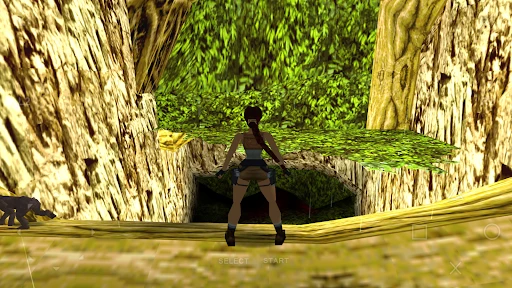
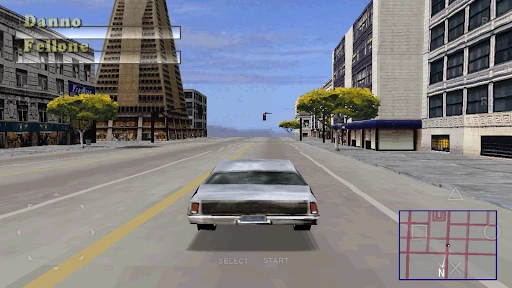

FPse for Android: Relive PlayStation Classics on Your Mobile Device
For enthusiasts of retro gaming, FPse for Android offers a compelling portal to the past. This emulator application places a library of iconic PlayStation titles directly into the palm of your hand, providing a potent dose of nostalgia for anyone eager to revisit gaming's classic era.
Getting Started with the Emulator
The initial setup process for FPse is designed for accessibility. After installation via the Google Play Store, users encounter a clear and manageable interface. The app requires no advanced technical knowledge to begin, allowing you to launch into your favorite games with minimal effort.
A significant advantage is the comprehensive control customization. The on-screen layout can be adjusted to match personal preference, and for a more authentic feel, FPse fully supports connection with various external Bluetooth or USB controllers.
Visual Performance and Graphical Fidelity
In terms of emulation quality, FPse performs robustly across a range of classic titles. Games operate with stable frame rates, and the graphical output remains faithful to the original PlayStation experience while offering modern improvements.
Support for OpenGL rendering enables advanced visual enhancements. Users have the option to increase internal resolution, apply texture filtering, and modify other graphical settings, giving aged games a refreshed appearance on contemporary high-definition screens.
Features That Elevate the Experience
FPse extends beyond basic emulation with quality-of-life features. The inclusion of save states lets you preserve your progress at any moment, an invaluable tool for difficult game sections. Additionally, load states allow you to instantly resume from these saved points.
The emulator also incorporates Wi-Fi-based multiplayer functionality. This feature modernizes the classic couch-competition experience, enabling you to connect with friends for shared gameplay sessions.
Audio Reproduction and Immersion
Sound emulation is another area of strength for FPse. The app accurately replicates the distinctive audio and music of the PlayStation, from memorable game soundtracks to detailed sound effects. Using headphones enhances this fidelity, creating a deeply immersive retro gaming atmosphere.
While optimizing all settings may require some initial configuration, the payoff is a highly personalized and smooth emulation environment. The flexibility afforded is well worth the investment of time.
Overall, FPse for Android stands as an excellent tool for reliving PlayStation history. It successfully bridges nostalgia and modern technology, offering both preservation and enhancement of classic games. For returning fans or new players exploring these timeless titles, FPse delivers a powerful and satisfying mobile gaming experience.
Pros
- • High compatibility with PlayStation games.
- • Customizable control layouts.
- • Supports external controllers.
- • Fast and smooth emulation.
- • Various graphics and audio settings.
Cons
- • Complex setup process for beginners.
- • Occasional crashes on some devices.
- • Limited support for newer Android versions.
- • In-app purchases for full features.
- • Some games may not run perfectly.
Frequently Asked Questions
Q: What is FPse for Android and what does it do?
A: FPse for Android is a highly popular PlayStation emulator that allows users to play their favorite PS1 games on Android devices. With its advanced emulation technology, FPse delivers high-quality graphics, sound, and gameplay. It supports a wide range of games and is known for its compatibility and performance, making it a top choice for gaming enthusiasts.
Q: How do I install and set up FPse on my Android device?
A: To install FPse on your Android device, download it from the Google Play Store. Once installed, open the app and follow the on-screen instructions to configure it. You will need to load a PS1 BIOS file and game ROMs, which are required for emulation. Ensure that your device meets the app's system requirements for optimal performance.
Q: Is FPse for Android free to use or does it require any purchases?
A: FPse for Android is a paid application available for purchase on the Google Play Store. Once purchased, users gain access to all its features without additional in-app purchases. The one-time payment ensures full functionality, including access to updates and premium features, providing a comprehensive gaming experience.
Q: What are the key features and benefits of using FPse for Android?
A: FPse for Android offers several key features, including high-resolution graphics, customizable controls, and support for various file formats like ISO and BIN. It provides real-time save states, cheat codes, and multiplayer support via Wi-Fi or Bluetooth. These features enhance the overall gaming experience, making it a versatile and powerful emulator.
Q: Are there any limitations or known issues with FPse for Android?
A: While FPse for Android is highly regarded, some users may experience compatibility issues with certain games or devices. Additionally, configuring the emulator can be complex for beginners. It's recommended to check online forums and communities for guidance and troubleshooting tips to overcome these potential challenges.