Pixel Art - Color by Number
Color Your World Relaxing Pixel Art For All Ages.
Rating
4.5
Installs
100,000,000+
Price
Free
Screenshots



Pixel Art - Color by Number
An Intuitive Start
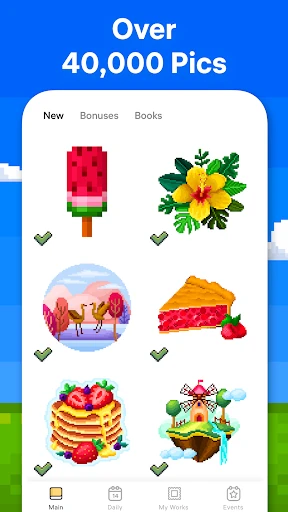
Upon launching Pixel Art - Color by Number, you'll discover an effortlessly intuitive interface. Free from complex menus, the app immediately immerses you in a colorful gallery brimming with images ready to be brought to life. It functions as a boundless digital coloring book, conveniently accessible from your device.
The Relaxing Art of Creation
This app recaptures the simple joy of coloring, enhanced with a satisfying digital twist. Each image is composed of numbered squares, and your task is simply to fill them with their corresponding colors. Witnessing the detailed artwork emerge tap by tap is a uniquely calming and rewarding experience, perfect for unwinding.
Notable Features and Tools
A vast and ever-growing library ensures there's an image for every preference, from animals and mandalas to stunning landscapes. For personal creativity, you can even transform your own photos into pixel art puzzles. Additionally, a built-in hint system acts as a helpful guide, ensuring you can always continue your coloring flow without frustration.
The App's Lasting Appeal
Pixel Art - Color by Number is more than a pastime; it's a portal to mindfulness and creative satisfaction. Accessible to all skill levels, it allows you to instantly de-stress, whether during a short break or a lengthy session. Completing a complex piece provides a genuine and uplifting sense of accomplishment.
In Conclusion
In today's fast-paced world, Pixel Art - Color by Number offers a perfect digital retreat. Its captivating simplicity delivers profound relaxation, making it an excellent choice for anyone seeking a creative and peaceful escape. Download it today to begin your journey of colorful, calming creation.
Pros
- • User-friendly interface with intuitive controls.
- • Wide variety of images to choose from.
- • Regular updates with new content.
- • Offline mode available for coloring.
- • Suitable for all age groups.
Cons
- • Ads can be intrusive and frequent.
- • Limited free content available.
- • Some images require in-app purchases.
- • Occasional app crashes reported.
- • Color palette could be more diverse.
Frequently Asked Questions
Q: What is Pixel Art - Color by Number and how does it work?
A: Pixel Art - Color by Number is a relaxing coloring app that allows users to transform grayscale images into vibrant artwork by coloring them according to a number-based guide. Each number corresponds to a specific color, making it easy for users of all ages to create beautiful pixel art without needing advanced artistic skills. Simply tap the numbers and watch your artwork come to life!
Q: Is Pixel Art - Color by Number suitable for children?
A: Yes, Pixel Art - Color by Number is designed to be user-friendly and is suitable for children as well as adults. The app provides a great way for kids to develop concentration and fine motor skills while enjoying a creative activity. Parental controls can be used to monitor in-app purchases, ensuring a safe and enjoyable experience for younger users.
Q: Does Pixel Art - Color by Number require an internet connection?
A: While Pixel Art - Color by Number can be enjoyed offline, certain features and additional content may require an internet connection. The app allows users to download artworks in advance for offline coloring, but accessing new images, updates, and sharing completed artworks on social media typically requires being online. Check your settings to manage data usage.
Q: Are there any in-app purchases in Pixel Art - Color by Number?
A: Pixel Art - Color by Number offers a variety of free images to color, but also includes optional in-app purchases. Users can buy premium content such as additional coloring pages, ad-free experiences, and special tools to enhance the coloring process. These purchases are not necessary to enjoy the core features of the app, but they can enhance the overall experience.
Q: How can I share my completed artwork from Pixel Art - Color by Number with friends?
A: Sharing your completed artwork from Pixel Art - Color by Number is easy and fun! Once you've finished coloring an image, you can save it to your device's gallery and share it directly through social media platforms like Instagram, Facebook, or via messaging apps. The app also offers options to print your artwork, making it a great way to showcase your creativity.