
Invitation Maker
Create Stunning Invitations For Any Event.
Rating
4.6
Installs
500,000+
Price
Free
Screenshots
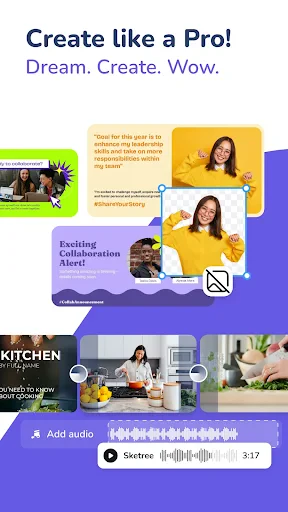




Create Stunning Invitations Effortlessly: Introducing Invitation Maker
Struggling to design the ideal invitation for your upcoming event? Meet Invitation Maker, the ultimate tool for creating beautiful invites with ease. Consider it your pocket-sized design studio, always available to produce something exceptional for any occasion.
Getting Started with the Application
Begin by downloading Invitation Maker, a simple process on either Android or iOS. The app is compact and efficient with storage. Its welcoming and intuitive interface ensures smooth navigation for all users. The main dashboard presents a wide array of templates for every event imaginable, providing the perfect starting point for your design.
Personalizing Your Invitation Design
After selecting a template, dive into customization. Adjust colors, change fonts, and incorporate personal photos with the app's comprehensive editing tools. Choose to add elegant effects or embrace a clean, contemporary style. The drag-and-drop editor is incredibly user-friendly, allowing anyone to craft professional-looking results effortlessly.
Features Designed for Convenience
A key strength of the app is its real-time collaborative editing. Share your draft with others to gather feedback before completion. Furthermore, direct integration with your device's contact list streamlines sending. Simply pick your guests, and your personalized invitations are dispatched immediately.
Finalizing and Distributing Your Invites
Once your design is complete, export it in high-quality resolution for both digital sharing and professional printing. The app supports distribution through email, social platforms, or traditional mail. Should you need assistance, an accessible help center provides useful guides and tutorials for every step.
In summary, Invitation Maker is an indispensable resource for producing impressive invitations without complexity. It combines a straightforward interface with powerful functionality, transforming invitation design into a quick and enjoyable task. For your next celebration, try Invitation Maker—it’s guaranteed to simplify your planning.
Pros
- • User-friendly interface for easy navigation.
- • Wide range of templates to choose from.
- • Customization options allow personal touch.
- • Quick sharing options via social media.
- • High-quality output suitable for printing.
Cons
- • Limited free features
- • paid upgrade needed.
- • Occasional in-app advertisements.
- • Template variety may overwhelm beginners.
- • Requires internet for template downloads.
Frequently Asked Questions
Q: What features does Invitation Maker offer for creating invitations?
A: Invitation Maker provides a comprehensive set of features for designing personalized invitations. Users can choose from a wide variety of templates, fonts, and color schemes to match the theme of their event. Additionally, the app offers customization options such as inserting personal photos, adding event details, and selecting decorative elements to enhance the design. With an easy-to-use interface, it's suitable for both beginners and experienced designers.
Q: Is Invitation Maker available for both Android and iOS devices?
A: Yes, Invitation Maker is available for both Android and iOS platforms, making it accessible to a wide range of users. The app can be downloaded from the Google Play Store for Android devices and the Apple App Store for iOS devices. This ensures that users can create invitations seamlessly, regardless of their preferred mobile operating system.
Q: Does Invitation Maker require an internet connection to function?
A: Invitation Maker functions both online and offline, allowing users to design invitations without needing a constant internet connection. However, an internet connection is necessary when initially downloading the app, accessing new templates or features, and sharing invitations online. This flexibility makes it convenient for users who may not always have reliable internet access.
Q: Are there any costs associated with using Invitation Maker?
A: Invitation Maker is available as a free download with basic features accessible to all users. However, to unlock premium templates, advanced design tools, and ad-free usage, users can opt for in-app purchases or a subscription model. This tiered pricing structure allows users to choose according to their needs and budget, ensuring access to professional-quality design options.
Q: How user-friendly is Invitation Maker for beginners?
A: Invitation Maker is designed with user-friendliness in mind, featuring an intuitive interface that simplifies the design process for beginners. The app includes step-by-step guides, tutorials, and customer support to assist users in creating their invitations. With drag-and-drop functionality and easily accessible design elements, even those new to digital design can create professional-looking invitations with ease.
Information
Similar Apps

Wedding Invitation Card Maker
Events

TickPick - Live Event Tickets
Events

Kassir.ru: афиша и билеты
Events

Invitation Maker-Card Creator
Events

TicketSwap - Buy, Sell Tickets
Events

N.EventGo Buddy VC
Events
Invitation Maker
Events

Wedding Planner by WeddingWire
Events






