
VR Player Pro - Video Player
VR Player Pro Immersive Video Playback For Mobile Enthusiasts.
Rating
3.6
Installs
10,000+
Price
$1.49
Screenshots
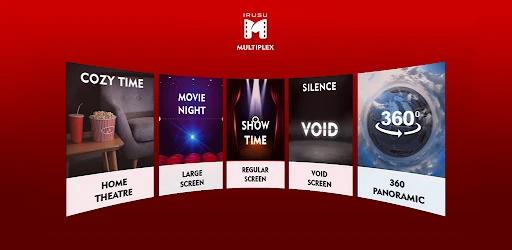

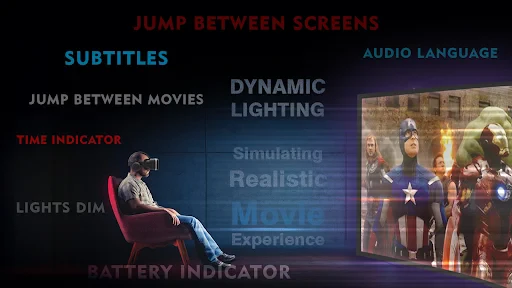
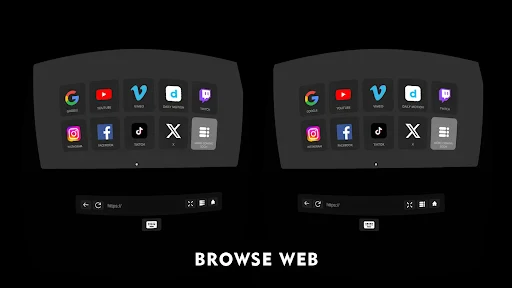
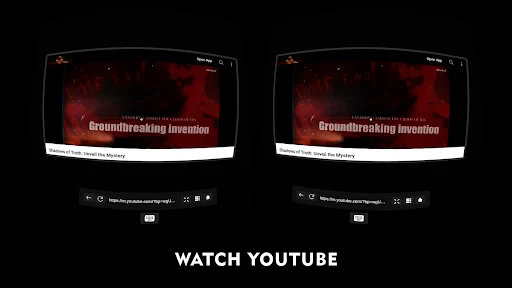
An In-Depth Look at VR Player Pro - Video Player
Let's explore VR Player Pro - Video Player, an application creating significant interest for virtual reality enthusiasts. Designed for deep immersion, it serves as a powerful portal to other worlds. The app offers broad accessibility, being available for download on both Android and iOS platforms.
Initiating your experience is straightforward. The installation procedure is quick and seamless. Simply visit your device's app store, select download, and the application is ready for use. This absence of complex configuration is a major benefit for users of all technical backgrounds.
Upon launching the app, you encounter an intuitive and uncluttered interface. Its design prioritizes direct access to your media library. The developers have focused on user-friendly navigation, with all controls and settings positioned logically for immediate discovery.
The core functionality lies in its extensive format compatibility. VR Player Pro supports a wide array of video types, eliminating concerns about file compatibility. It seamlessly renders standard 2D films, 3D content, and immersive 360-degree videos, all with fluid playback and high-quality visuals that enhance engagement.
Furthermore, the application boasts impressive hardware versatility. It is optimized to perform with a range of VR headsets, from economical Google Cardboard to advanced models. This inclusivity ensures every user can maximize their experience regardless of equipment.
Personalization is another key strength. A suite of adjustable parameters allows you to fine-tune the visual environment. Settings for brightness, contrast, and playback speed enable you to customize each viewing session to your precise preferences.
From personal experience, testing VR Player Pro with 360-degree content was remarkably transformative. The application delivered flawless performance without lag or interruption, effectively creating a portable, private cinema.
The navigation within the app also deserves praise. Control schemes feel instinctive, and toggling between different viewing modes is effortless. Practical touches, such as bookmarking favorites and resuming playback from a precise point, greatly enhance the overall utility.
In conclusion, VR Player Pro - Video Player stands out as a premium choice for enhancing virtual reality entertainment. It combines an accessible interface with robust features and cross-device functionality. Whether you are a seasoned VR user or a curious newcomer, this application merits serious consideration.
For those eager to revolutionize their video consumption, VR Player Pro is ready for trial. It can be downloaded directly on both major mobile platforms. There is no reason to delay—begin your journey toward a fundamentally new form of entertainment today.
Pros
- • Supports various VR formats.
- • Easy-to-use interface.
- • Customizable playback options.
- • High-quality video playback.
- • Compatible with multiple VR headsets.
Cons
- • Not free
- • requires purchase.
- • Limited free features.
- • Occasional bugs reported.
- • May drain battery quickly.
Frequently Asked Questions
Q: What video formats are supported by VR Player Pro?
A: VR Player Pro supports a wide range of video formats, including MP4, AVI, and MKV, among others. This ensures that users can play almost any video file without the need for additional conversion tools. The app's versatility in handling various formats makes it a top choice for those looking to enjoy VR content seamlessly.
Q: Can I use VR Player Pro without a VR headset?
A: Yes, while VR Player Pro is optimized for use with VR headsets, it also supports 2D mode for users who don't have access to VR hardware. This flexibility allows users to enjoy immersive videos on their regular smartphones or tablets, making it accessible to a broader audience.
Q: Does VR Player Pro support streaming from online sources?
A: VR Player Pro provides support for streaming content from a variety of online sources. Users can stream videos directly from the web, allowing them to enjoy a vast array of content without needing to download files. This feature is especially useful for those looking to keep their device storage free from large video files.
Q: Is there a free version of VR Player Pro available?
A: VR Player Pro is a premium application, which means it requires a purchase to access its full features. However, there might be a free trial version available for users to test the app's capabilities before committing to a purchase. It's advisable to check the app store for any available trial offers.
Q: How customizable is the viewing experience in VR Player Pro?
A: VR Player Pro offers extensive customization options to enhance the viewing experience. Users can adjust settings such as aspect ratio, playback speed, and 3D effects to suit their preferences. This level of customization ensures that users can tailor their viewing experience to fit their specific needs, whether watching 2D or VR content.
Information
Similar Apps

My Drama: Short Stories & Reel
Entertainment

AR Spiders & Co: Scare friends
Entertainment

ABPV-America’s best pics, vids
Entertainment

Talking Ben the Dog
Entertainment

MeloShort-Movies&Dramas
Entertainment

HBO Max
Entertainment

Stick Nodes Pro - Animator
Entertainment

iQIYI - Drama, Anime, Show
Entertainment






