
Remote Play Controller for PS
Remote Play Controller for PS Play Games Anywhere.
Rating
4.3
Installs
10,000,000+
Price
Free
Screenshots
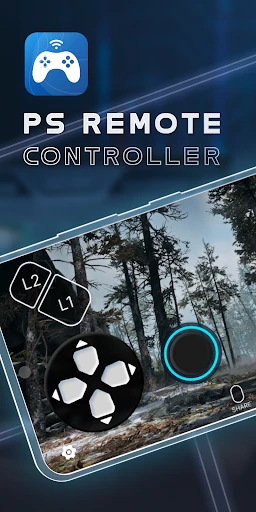
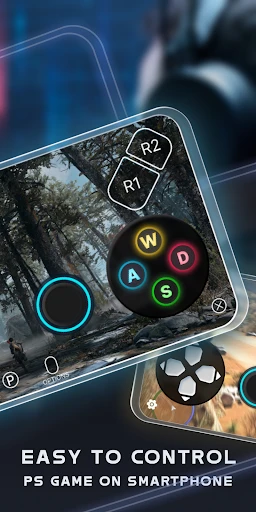
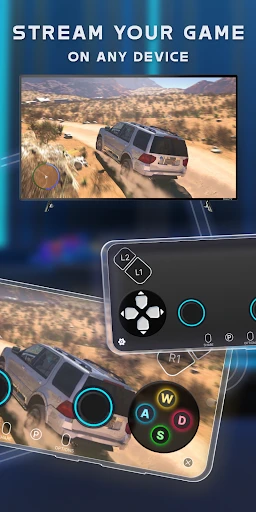
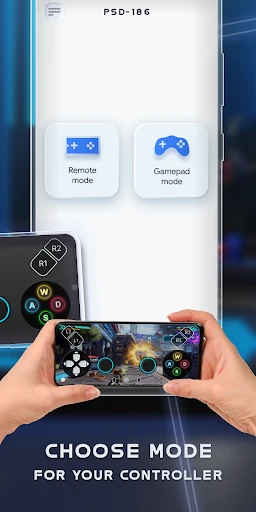
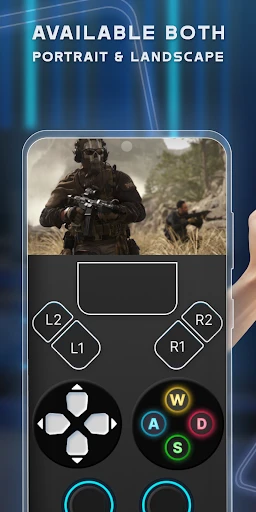
Transform Your Smartphone into a PlayStation Controller
Gamers, meet your solution. Have you ever been ready to play only to find your PlayStation controller missing or out of charge? The Remote Play Controller for PS app turns your mobile device into a functional controller, letting you dive into your games directly from your phone. It's the perfect on-the-go gaming companion.
App Overview: Your Phone as a Controller
The Remote Play Controller for PS is a mobile application that allows your smartphone to emulate a PlayStation controller. By connecting your phone to your console via the app, you gain a complete control interface without any additional hardware. It's an ideal backup when your primary controller is unavailable.
Simple and Quick Setup Process
Installation and connection are remarkably straightforward. Download the app from your device's store, follow the intuitive pairing instructions to link with your PlayStation, and you're ready to play. The clear layout ensures ease of use for all players, and the app supports both Android and iOS platforms.
Performance and Responsiveness in Action
In terms of performance, the app delivers reliably low latency for a smooth, responsive gaming experience suitable for most genres. While it excels for casual and single-player sessions, highly competitive multiplayer games may still benefit from the tactile precision of a physical controller.
Key Benefits and Gaming Convenience
This app maximizes gaming flexibility, allowing you to seamlessly switch between activities or control your PlayStation from your phone. It adds a layer of convenience for relaxed play and serves as an impressive feature to share with friends, enhancing your overall gaming ecosystem.
Potential Limitations to Note
Its performance is dependent on a stable Wi-Fi connection; intermittent networks may cause brief disruptions. Additionally, the touchscreen interface, while well-designed, cannot fully replicate the tactile feedback and ergonomics of a dedicated physical controller.
Final Verdict: A Valuable Gaming Tool
Overall, the Remote Play Controller for PS is a highly useful and accessible application. It provides an effective alternative when your standard controller isn't an option and offers convenient control from your mobile device. For any gamer seeking added versatility, this app is certainly worth trying.
Pros
- • Easy setup and connection
- • Seamless PS console integration
- • Intuitive user interface
- • High-quality streaming
- • Supports multiple devices
Cons
- • Requires stable internet
- • Limited compatibility
- • Consumes battery quickly
- • Occasional input lag
- • Subscription needed for some features
Frequently Asked Questions
Q: What is the Remote Play Controller for PS and how does it work?
A: The Remote Play Controller for PS is an app that allows users to stream and play PlayStation games on their smartphone or tablet. By connecting your device to the same network as your PlayStation console, you can use the app to control and play games remotely. This offers the flexibility to enjoy your favorite games without being tied to your TV. The app provides on-screen controls, although a compatible controller can enhance the gaming experience.
Q: Is the Remote Play Controller for PS app free to use?
A: Yes, the Remote Play Controller for PS app is free to download and use. However, to fully utilize the app, you need a PlayStation Network account, and your PlayStation console must be compatible with Remote Play. While the app itself doesn’t charge, be mindful of potential in-app purchases or subscription services related to specific games you might play through the app.
Q: What devices are compatible with the Remote Play Controller for PS app?
A: The app is compatible with a range of Android and iOS devices. However, it requires a device with a stable internet connection and preferably the latest operating system for optimal performance. Additionally, to ensure the best gaming experience, using the app on devices with larger screens and strong processors is recommended. Always check the app store for specific device compatibility before downloading.
Q: Do I need a PlayStation console to use the Remote Play Controller for PS app?
A: Yes, having a PlayStation console is essential to use the Remote Play Controller for PS app. The app essentially acts as an intermediary to stream and control games from your console to your mobile device. Therefore, without a PlayStation console, the app cannot function as intended. Ensure your console is set up for Remote Play and connected to the same network as your mobile device.
Q: Can I use a physical controller with the Remote Play Controller for PS app?
A: Absolutely, using a physical controller can significantly enhance your gaming experience with the Remote Play Controller for PS app. While the app provides on-screen controls, a DualShock 4 or DualSense controller can be paired with your mobile device via Bluetooth for a more traditional and comfortable gaming experience. Ensure your mobile device supports Bluetooth connectivity and the controller is properly synced for seamless gameplay.
Information
Similar Apps

ABPV-America’s best pics, vids
Entertainment
Spin the Wheel: Random Picker+
Entertainment
Morph&Mob Mod for MinecraftPE
Entertainment

Nintendo Switch Online
Entertainment

The CW
Entertainment

InColor: Coloring & Drawing
Entertainment

Xumo Play: Stream TV & Movies
Entertainment

STARZ
Entertainment






