
Campus Parent
Campus Parent Connect Teachers Families Student Progress.
Rating
3.2
Installs
1,000,000+
Price
Free
Screenshots
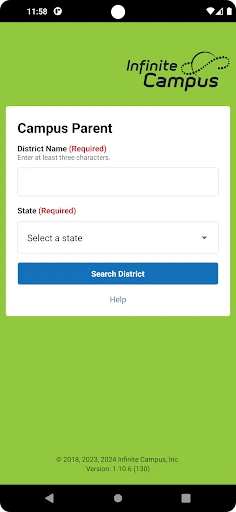
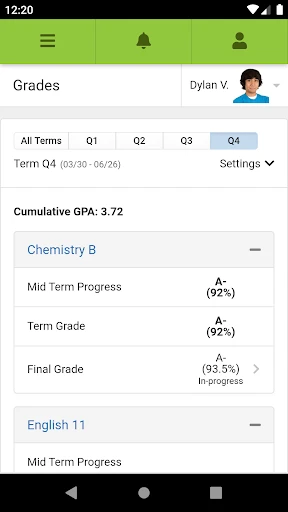
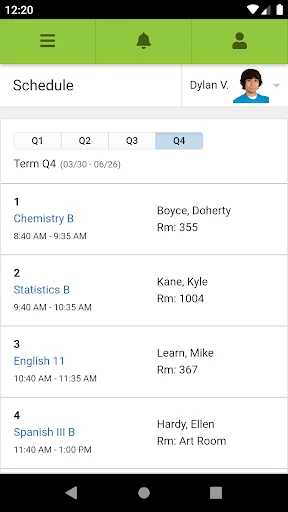
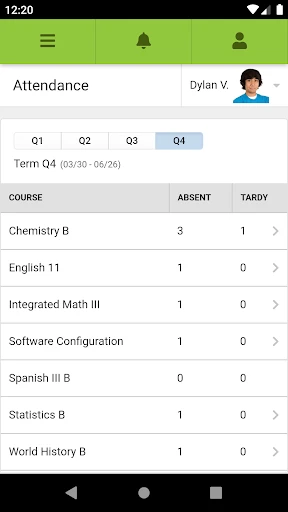
Campus Parent: Your Essential Link to Your Child's Education
Imagine leaving the school drop-off line with complete confidence, knowing you’re fully informed about your child’s academic progress and upcoming commitments. Campus Parent is the dedicated application designed to provide exactly that assurance. Acting as your direct connection to the school, this app delivers vital updates and tools straight to your mobile device. Discover how it transforms your ability to support your child’s educational journey.
A Central Hub for Academic Information
Eliminate the stress of searching for misplaced progress reports or missing teacher conferences. Campus Parent consolidates all critical academic data onto a single, intuitive dashboard. Monitor current grades and review attendance records with ease, receiving real-time notifications. This ensures you are immediately aware of academic achievements, like a perfect quiz score, or important alerts, such as an unexpected absence.
Manage Assignments and School Events
Avoid surprise discoveries of major projects due tomorrow. The app’s assignment tracker serves as your dedicated academic planner, providing a clear overview of pending homework and deadlines. You can configure reminders to help your child stay on track. Furthermore, the integrated calendar synchronizes with the school’s master schedule, ensuring you are prepared for every event, from parent-teacher meetings to sports games.
Direct Communication at Your Fingertips
Bid farewell to feeling out of the loop on school announcements. Campus Parent’s messaging system keeps you continuously informed and connected. Communicate directly with teachers, school staff, and other families with simplicity. This feature functions as a portable school office, providing answers and facilitating conversations whenever needed. The platform is designed for effortless use, ensuring every parent can navigate it confidently.
You may question whether another app is necessary, but Campus Parent proves its value. It moves beyond simple grade monitoring to foster active participation in your child’s academic life. Ultimately, it strengthens the vital partnership between home and school, supporting your child’s success.
In summary, for parents committed to being engaged, informed partners in education, Campus Parent is an indispensable resource. It revolutionizes school-related communication and organization, significantly reducing daily stress. Take the step to download it and experience a more streamlined, connected approach to your child’s schooling.
Pros
- • User-friendly interface for easy navigation
- • Real-time access to grades and attendance
- • Customizable notifications for updates
- • Secure login with multi-factor authentication
- • Supports multiple languages for inclusivity
Cons
- • Limited offline functionality
- • Occasional sync issues with school servers
- • Advertisements in free version
- • Requires constant internet connection
- • Limited customization for dashboard layout
Frequently Asked Questions
Q: What is Campus Parent and who is it for?
A: Campus Parent is a mobile application designed for parents to stay informed and engaged in their child's educational journey. It provides real-time access to student grades, attendance, assignments, and more. It's ideal for parents who want to monitor their children’s academic progress and stay connected with their school's activities and announcements.
Q: How do I access my child's information on the Campus Parent app?
A: To access your child's information, you need to log in with your parent account credentials that are provided by the school. Once logged in, you can view grades, assignments, attendance records, and receive important announcements. Ensure your school uses the Campus platform and you have the correct login details to access the app.
Q: Is the Campus Parent app free to use?
A: Yes, the Campus Parent app is free to download and use. However, it requires your school to be subscribed to the Campus platform. As a parent, you won't incur any costs for using the app, but the availability of certain features might depend on your school's specific subscription plan.
Q: Can multiple parents or guardians access the app simultaneously?
A: Yes, multiple parents or guardians can access the Campus Parent app simultaneously, provided each has their own login credentials issued by the school. This allows both parents to stay updated with their child’s school activities and performance without needing to share login information, ensuring privacy and security for all users.
Q: What devices support the Campus Parent app?
A: The Campus Parent app is available for both Android and iOS devices. It is compatible with most smartphones and tablets running the latest operating systems. For the best experience, ensure your device meets the app’s requirements and is updated to the latest software version. This ensures optimal performance and access to all features.
Information
Similar Apps

AI Math Scanner: Maths Solver
Education

Speak & Learn English: Learna
Education

Learn to Read - Duolingo ABC
Education

CE5 Contact
Education

Plantum - Plant Identifier
Education

Lingvano: Sign Language - ASL
Education

Super Teacher
Education

SkyView® Explore the Universe
Education






