
Pydroid 3 - IDE for Python 3
Mobile Python IDE For Learners And Coders.
Rating
4.4
Installs
10,000,000+
Price
Free
Screenshots
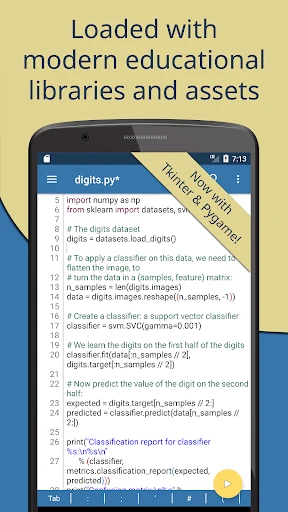
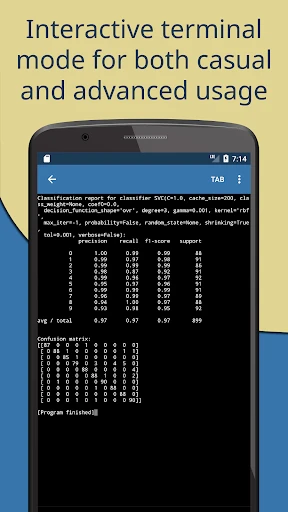
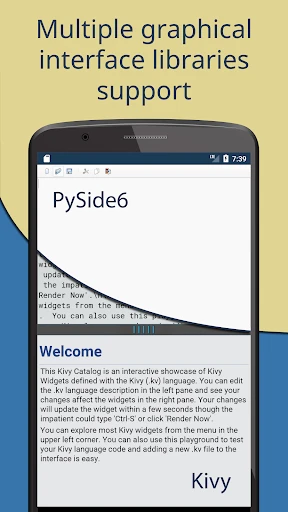
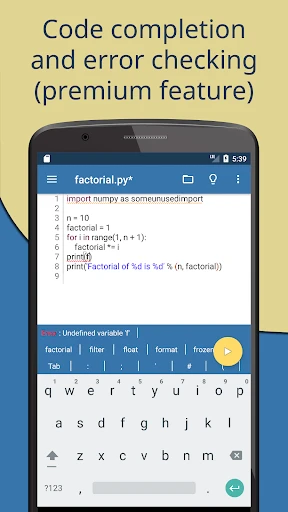
Python remains a premier language for developers, and for those seeking a portable coding solution, Pydroid 3 stands out. This application transforms any Android device into a capable Python development environment, making it an essential tool for mobile programmers.
Getting Started with Pydroid 3
Initiating your work with Pydroid 3 is remarkably straightforward. Following installation from your app store, the environment is immediately ready for Python development. Designed for Android smartphones and tablets, it offers an intuitive and clean interface that ensures a smooth onboarding experience for beginners and veterans alike.
Core Features and Capabilities
A defining feature is the fully functional offline Python 3 interpreter, enabling code execution anywhere, regardless of internet connectivity. The IDE comes pre-installed with essential scientific libraries including NumPy, SciPy, and Matplotlib, providing robust support for data analysis and computational projects directly on your device.
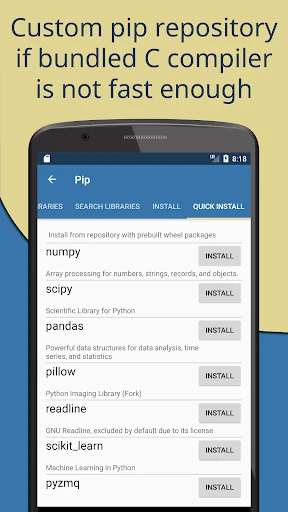
Expanding its functionality is seamless through the integrated pip package manager. This allows for the installation of additional Python libraries, effectively turning your mobile device into a compact, versatile development workstation.
Designed for a Spectrum of Users
Pydroid 3 caters to both educational and professional needs. Students benefit from a convenient platform for practice and learning, featuring an interactive console for rapid code experimentation and an educational mode with helpful guidance. Experienced developers will appreciate it as a portable tool for prototyping, testing snippets, and sketching ideas efficiently.
Productivity is enhanced through syntax highlighting, intelligent code completion, and the ability to fold code sections. These features streamline the editing process and improve readability, especially when working on more complex scripts.
Considerations and Final Thoughts
It is important to note that, as a mobile application, Pydroid 3 does not match the raw processing power or extensive feature set of a desktop IDE. Performance may lag during computationally intensive tasks. However, for the vast majority of learning, scripting, and prototyping needs, it performs admirably.
In conclusion, Pydroid 3 is a highly reliable and full-featured Python IDE for Android. Its combination of portability, pre-loaded libraries, and a thoughtful feature set makes it a compelling choice for any Python developer on the move. Consider downloading it to enhance your coding flexibility and productivity.
Pros
- • Intuitive user interface for beginners.
- • Supports various Python libraries.
- • Runs Python 3 scripts smoothly.
- • Offline Python compiler capability.
- • Integrated terminal for real-time coding.
Cons
- • Limited features in free version.
- • Occasional lagging on older devices.
- • Ads can be intrusive at times.
- • Might require additional setup for libraries.
- • No support for Python 2.
Frequently Asked Questions
Q: What is Pydroid 3 and what can it be used for?
A: Pydroid 3 is a powerful integrated development environment (IDE) specifically designed for running Python 3 on Android devices. It allows users to write, compile, and execute Python scripts directly on their smartphones or tablets. Ideal for both beginners learning Python and experienced developers who want to code on the go, Pydroid 3 supports various Python libraries and frameworks, making it a versatile tool for educational purposes or quick prototyping.
Q: Is Pydroid 3 suitable for beginners learning Python?
A: Yes, Pydroid 3 is an excellent choice for beginners who are learning Python. The app provides a user-friendly interface with features like syntax highlighting, code prediction, and an offline Python 3 interpreter, which help make the learning process smoother. Additionally, it includes educational examples and tutorials, which are particularly useful for those new to programming. Beginners can easily experiment with Python scripts and see immediate results, enhancing their learning experience.
Q: Does Pydroid 3 support external Python libraries and packages?
A: Absolutely, Pydroid 3 supports a wide range of external Python libraries and packages. Users can install additional libraries using PIP (Python Package Index), which is integrated into the app. This capability allows developers to work on more complex projects involving libraries like NumPy, Pandas, Matplotlib, and many others. This feature significantly enhances the app's utility, making it suitable for various Python development activities, from simple scripts to data analysis and machine learning tasks.
Q: Can Pydroid 3 be used offline?
A: Yes, Pydroid 3 can be used offline, which is one of its key advantages. It includes a built-in Python 3 interpreter, allowing users to write and execute Python code without needing an internet connection. This makes it particularly useful for users who want to practice coding during commutes or in areas with limited connectivity. However, downloading new libraries or packages requires an internet connection, so users should plan accordingly if they need additional resources.
Q: What are the system requirements for installing Pydroid 3?
A: To install Pydroid 3, your Android device should be running at least Android 4.4 or higher. The app is optimized for both smartphones and tablets, but performance may vary based on the device's specifications. It is recommended to have a device with at least 2GB of RAM for smooth operation, especially when working with large libraries or complex projects. Ensuring your device meets these requirements will provide a better experience when using the app.
Information
Tags
Similar Apps

Gauth: AI Study Companion
Education

PDG PROmote 2023-2025
Education

Brilliant: Learn by doing
Education

Woofz - Puppy and Dog Training
Education

FAMILIES | TalkingPoints
Education

SkySafari 7 Plus
Education

Star Walk 2 Plus: Sky Map View
Education

10 Minute Language
Education






