
Screenshots
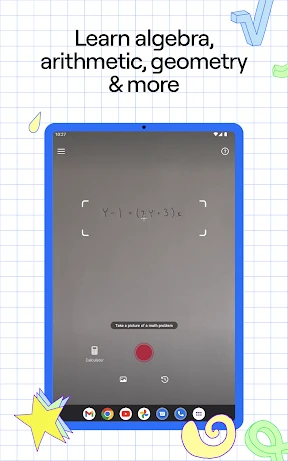
Your Mobile Math Assistant: Introducing Photomath
Have you ever faced a math problem that seemed completely incomprehensible? You're not alone. Discovering Photomath is like gaining a personal math tutor that fits right in your pocket, ready to help at any moment.
Getting Started with the App
Downloading and installing Photomath is simple and quick. Available for both Android and iOS devices, it takes up minimal storage space, so you won't have to clear out your phone just to use it.
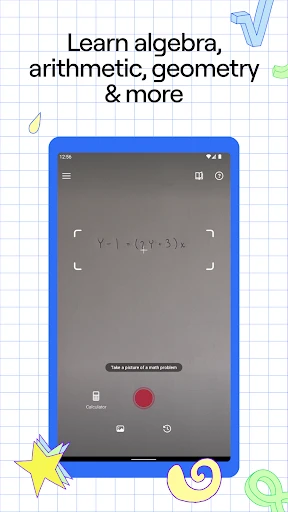
Upon opening the app, you'll find a clean, intuitive interface free of distracting clutter. To begin, simply aim your smartphone's camera at the math problem. Photomath will scan it and instantly display a step-by-step solution, making the process feel almost magical.
The Technology Behind the Solutions
Photomath operates using advanced OCR (Optical Character Recognition) technology. This system reads the mathematical text from your camera view and translates it into a solvable digital format. Its accuracy is impressive, capably managing everything from simple arithmetic to more complex calculus equations.
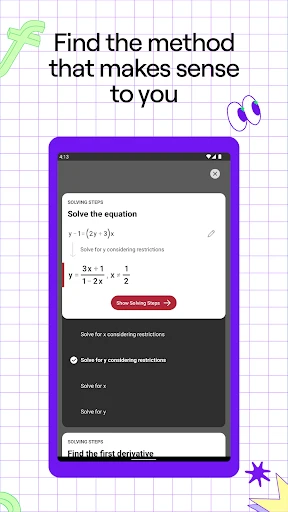
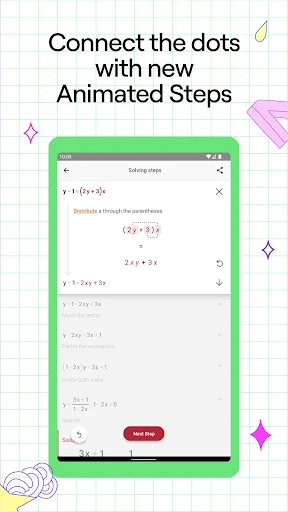
The true standout feature is the detailed, step-by-step breakdown for each solution. The app doesn't just give you the final answer; it guides you through the entire logical process, which is invaluable for learning and identifying mistakes. This functionality could have saved many students considerable frustration during their school years.
Accessing Advanced Features and Subjects
The app's capabilities extend far beyond basic math. Photomath supports a broad spectrum of subjects including geometry, trigonometry, calculus, and statistics, serving students across various grade levels and courses.
An integrated graphing calculator provides a powerful tool for visual learners. It allows users to plot equations, zoom in and out, and explore specific graph points, effectively creating a portable, interactive math laboratory.
Overall Assessment of Photomath
Absolutely. Photomath is a transformative tool for anyone seeking math help. It combines a user-friendly design with powerful, explanatory solutions. While it may not fully substitute for a human teacher, it serves as an exceptional supplemental learning aid. The core app is free, with premium features available through optional in-app purchases.
If mathematical concepts often feel like a foreign language to you, consider trying Photomath. It has the potential to transform confusion into clarity and improve your academic confidence.
Pros
- • Easy to use interface for students.
- • Real-time scanning and solving.
- • Supports multiple languages.
- • Provides step-by-step solutions.
- • No internet required for basic use.
Cons
- • Limited advanced problem-solving.
- • In-app purchases for full features.
- • Camera may struggle in low light.
- • Some explanations can be unclear.
- • Dependent on device camera quality.
Frequently Asked Questions
Q: What is Photomath and how does it work?
A: Photomath is a mobile application that uses your device's camera to scan and solve mathematical problems instantly. Users simply point their camera at a handwritten or printed math problem, and Photomath provides a step-by-step solution along with explanations. It's designed to help students understand math problems better by breaking them down into manageable steps.
Q: Is Photomath free to use?
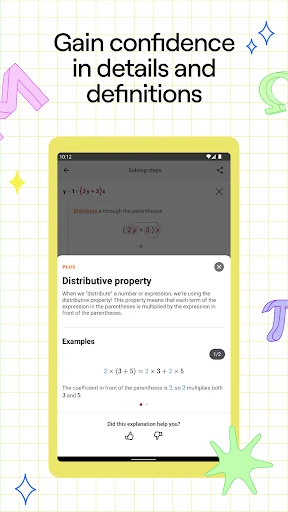
A: Yes, Photomath offers a free version that includes basic functionalities such as scanning and solving math problems. However, there is also a premium subscription available, called Photomath Plus, which provides additional features like animated tutorials, in-depth explanations, and advanced problem-solving capabilities for a monthly or annual fee.
Q: Can Photomath solve all types of math problems?
A: Photomath is capable of solving a wide range of math problems, from simple arithmetic to complex calculus and algebraic equations. However, it may not recognize or solve every type of problem, especially those that involve advanced mathematics or require a detailed understanding beyond formulaic solutions. The app is constantly being updated to improve its problem-solving capabilities.
Q: Does Photomath require an internet connection to function?
A: Photomath can solve many math problems without an internet connection, as it processes images and performs calculations using the device's hardware. However, certain features, especially those in the Photomath Plus version, might require internet access to download additional resources or access cloud-based functionalities, such as updated problem-solving databases.
Q: How does Photomath ensure accuracy in its solutions?
A: Photomath employs sophisticated algorithms and machine learning techniques to ensure the accuracy of its solutions. The app is regularly updated to refine its recognition capabilities and improve its problem-solving accuracy. Additionally, Photomath provides step-by-step solutions, allowing users to verify each step and understand the process, reducing the chances of errors in final answers.
Information
Tags
Similar Apps

brightwheel: Childcare App
Education

Stellarium Mobile - Star Map
Education

Brilliant: Learn by doing
Education

Picture Mushroom - Mushroom ID
Education

Procare: Childcare App
Education

AI Math Scanner: Maths Solver
Education

Dino Coloring Game
Education

Homework AI - Math & Essay App
Education






