
Phone Dialer - Call Recorder
Call Recorder Dialer For Business Professionals.
Rating
3.9
Installs
1,000,000+
Price
Free
Screenshots
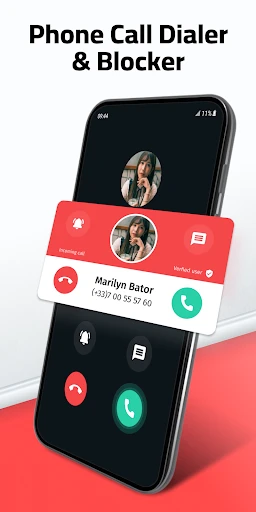
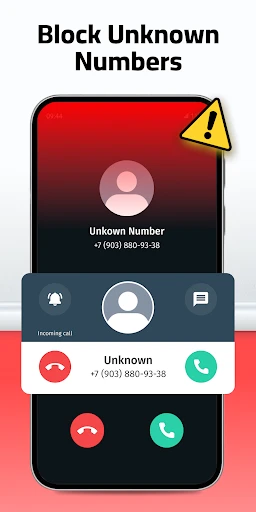
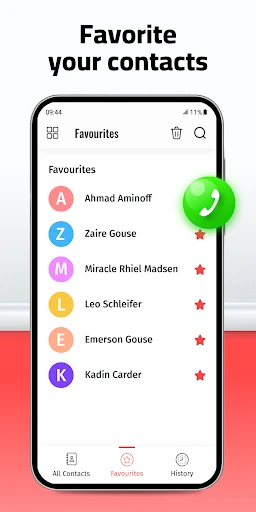
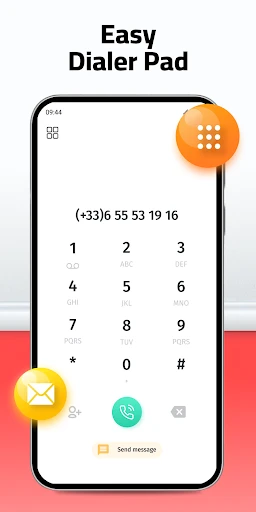
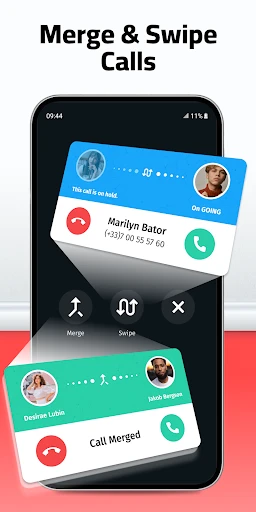
Introducing the Phone Dialer - Call Recorder
Do you need to recall specific details from a phone conversation? Or manage a high volume of calls more efficiently? The Phone Dialer - Call Recorder app is designed to enhance your calling experience. This versatile tool streamlines communication and ensures you never miss a detail. Discover how this application can become an essential part of your daily life.
Simple and Quick Setup
Setting up the Phone Dialer - Call Recorder app is remarkably fast. Upon installation, you are greeted by an intuitive, user-friendly interface. The app guides you effortlessly through the initial configuration, making it operational in minutes. It’s the perfect solution for anyone seeking advanced functionality without technical complexity.
Never Miss a Detail with Call Recording
The app’s core strength is its reliable call recording feature. Preserve important business agreements or cherished personal moments with ease. Configure automatic recording to capture every conversation without manual intervention. All recordings are neatly stored and easily accessible within the app, providing a secure, searchable archive of your calls.
Intelligent Features for Smarter Calling
Beyond recording, the app integrates seamlessly with your contacts for superior call management. The enhanced caller ID helps identify unknown numbers, effectively filtering out spam. You also have the power to block unwanted callers, ensuring peace and quiet.
The smart dialer predicts contacts as you type, speeding up the calling process. Customize your experience further by selecting from a variety of visual themes to personalize your dialer’s appearance.
Elevate Your Communication Today
In our fast-paced world, the Phone Dialer - Call Recorder app is a practical upgrade to your smartphone. It refines how you make calls and provides security for your important information. This app is invaluable for busy professionals and organized individuals alike.
Considering its benefits, trying the app is a low-risk decision with high potential reward. The convenience of a superior dialer, combined with essential recording capabilities, offers significant upside. Take the step to transform your phone experience—download it and see the difference for yourself.
Pros
- • User-friendly interface for quick navigation
- • High-quality call recording capability
- • Customizable themes and layouts
- • Integration with contacts and call logs
- • Supports multiple audio formats for recordings
Cons
- • May consume significant storage space
- • Ads can be intrusive during usage
- • Limited editing features for recordings
- • Requires permissions that may concern privacy
- • Free version lacks advanced features
Frequently Asked Questions
Q: What features does Phone Dialer - Call Recorder offer for managing my calls?
A: Phone Dialer - Call Recorder provides a comprehensive suite of features for call management. It allows users to record both incoming and outgoing calls with high clarity. Additionally, you can organize your contacts efficiently, block unwanted numbers, and customize your dialer interface for a more personalized experience. The app also integrates seamlessly with your existing contact list for easy access.
Q: Is it legal to use the call recording feature of this app?
A: The legality of call recording varies by country and region, so it's important to check the local laws before using this feature. In many places, you must obtain consent from the other party before recording a call. Phone Dialer - Call Recorder includes a disclaimer advising users to adhere to applicable laws and provides options to notify others that a call is being recorded.
Q: How secure is my recorded data on Phone Dialer - Call Recorder?
A: Phone Dialer - Call Recorder prioritizes user privacy and data security. All recordings are stored locally on your device to prevent unauthorized access. The app does not upload your recordings to external servers. You can also set up password protection for the app to ensure that only you can access your recordings.
Q: Does Phone Dialer - Call Recorder support international calls?
A: Yes, Phone Dialer - Call Recorder supports international calls. You can record calls made to and from international numbers with the same ease as local calls. However, be aware of the potential legal implications and costs associated with international call recording in different countries, and ensure compliance with relevant regulations.
Q: What should I do if Phone Dialer - Call Recorder is not recording my calls?
A: If you experience issues with call recording, first ensure that all necessary permissions have been granted to the app. Check your device’s settings to verify the app has access to your microphone and storage. If the problem persists, consider reinstalling the app or contacting customer support for further assistance. Regular software updates may also resolve technical glitches.
Information
Similar Apps

Discord - Talk, Play, Hang Out
Communication

Proton Mail: Encrypted Email
Communication

WhatsApp Business
Communication

KakaoTalk : Messenger
Communication

Inbox Homescreen
Communication

Pi Browser
Communication

BOSS Revolution: Call & Top up
Communication

Vivaldi Browser - Fast & Safe
Communication






