
Pose Tool 3D
Pose Tool 3D Animate Characters For Artists Storytellers.
Rating
3.9
Installs
10,000+
Price
$6.99
Screenshots
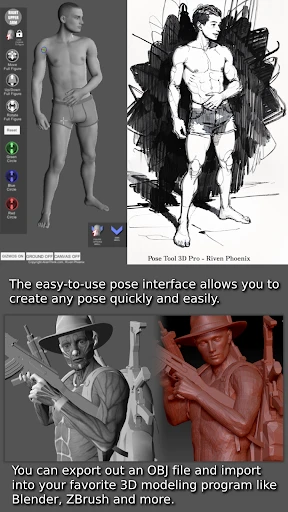


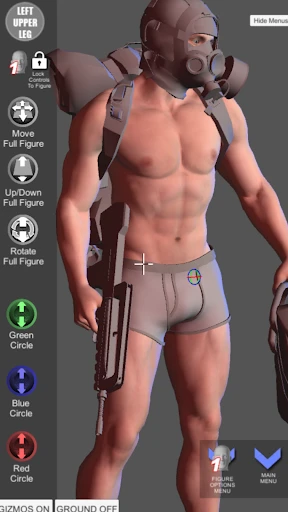
Pose Tool 3D: The Essential Digital Mannequin
For artists seeking the perfect reference, Pose Tool 3D emerges as an indispensable digital studio mate. This app provides a powerful solution for nailing dynamic action shots or refining everyday posture, offering a significant upgrade to any artistic workflow.
First Impressions and Interface
The immediate appeal of Pose Tool 3D is its intuitive design. The interface is logical and uncluttered, allowing you to begin posing models immediately without a steep learning curve. This focus on user-friendly operation is a standout feature for creators who prioritize productivity.
Core Capabilities and Customization
A vast, pre-built library of poses serves as the app's foundation, covering everything from basic gestures to complex, dynamic compositions. The highly detailed 3D figures can be rotated and examined from any perspective, functioning as a perfect, portable reference that never leaves your desk.
The depth of manipulation is equally impressive. Every aspect of the pose is adjustable—from subtle finger placements to major limb proportions. This granular level of control empowers artists to translate their precise mental image into a customizable 3D reference.
Performance and Stability
In terms of technical execution, Pose Tool 3D delivers a reliably smooth experience. It operates without noticeable lag or unexpected interruptions, ensuring that the creative process remains fluid and focused solely on art, not on application hiccups.
Learning Curve and Accessibility
Accessibility is a key strength. New users can quickly grasp the fundamentals through integrated tutorials, while seasoned artists will appreciate the advanced tools available beneath the simple surface. The design thoughtfully supports both guided learning and intuitive experimentation.
Final Assessment
In conclusion, Pose Tool 3D successfully fulfills its promise as a versatile and efficient posing aid. It respects the artist's process by combining depth with simplicity. Whether for hobbyist illustration or professional projects, this tool is a valuable addition that will undoubtedly enhance your reference library and your final artwork.
Pros
- • Intuitive user interface.
- • Wide range of pose options.
- • High-quality 3D models.
- • Regular updates.
- • Cross-platform availability.
Cons
- • Requires in-app purchases.
- • Limited free features.
- • Consumes significant storage.
- • Occasional bugs.
- • Steep learning curve for beginners.
Frequently Asked Questions
Q: What is Pose Tool 3D, and how does it work?
A: Pose Tool 3D is a versatile application designed for artists and illustrators to create dynamic human poses using 3D models. Users can manipulate these models in real-time, adjusting the anatomy, position, and perspective to suit their artistic needs. This tool provides a hands-on approach to understanding human anatomy and creating realistic poses for artwork.
Q: Is Pose Tool 3D user-friendly for beginners?
A: Yes, Pose Tool 3D is designed with an intuitive interface that caters to both beginners and advanced users. The app includes tutorials and guides to help new users navigate the features, making it easy to start creating poses without prior experience in 3D modeling. Its user-friendly design ensures a smooth learning curve.
Q: What are the key features of Pose Tool 3D?
A: Pose Tool 3D offers a variety of features including customizable 3D models, a vast library of pre-set poses, and the ability to adjust lighting and shadows. Users can also save and export their creations in various formats. These features make it a comprehensive tool for artists looking to enhance their work with realistic human poses.
Q: Can Pose Tool 3D be used offline?
A: Yes, Pose Tool 3D can be used offline once downloaded. This feature is particularly beneficial for artists who may not always have internet access but wish to work on their projects from anywhere. Offline accessibility ensures that users can continue to create and refine their art without interruption.
Q: What devices are compatible with Pose Tool 3D?
A: Pose Tool 3D is compatible with a wide range of devices, including iOS and Android smartphones and tablets. The app is optimized to ensure smooth performance across different platforms, allowing users to access its features whether they are using a mobile device or a larger tablet, making it versatile for various artistic needs.






